279
WSG-1068 ENGINE CONTROLS
GCP Software Installation
Insert CD into CD-ROM drive.
Double click “My Computer” Icon.
Double Click CD-ROM drive letter
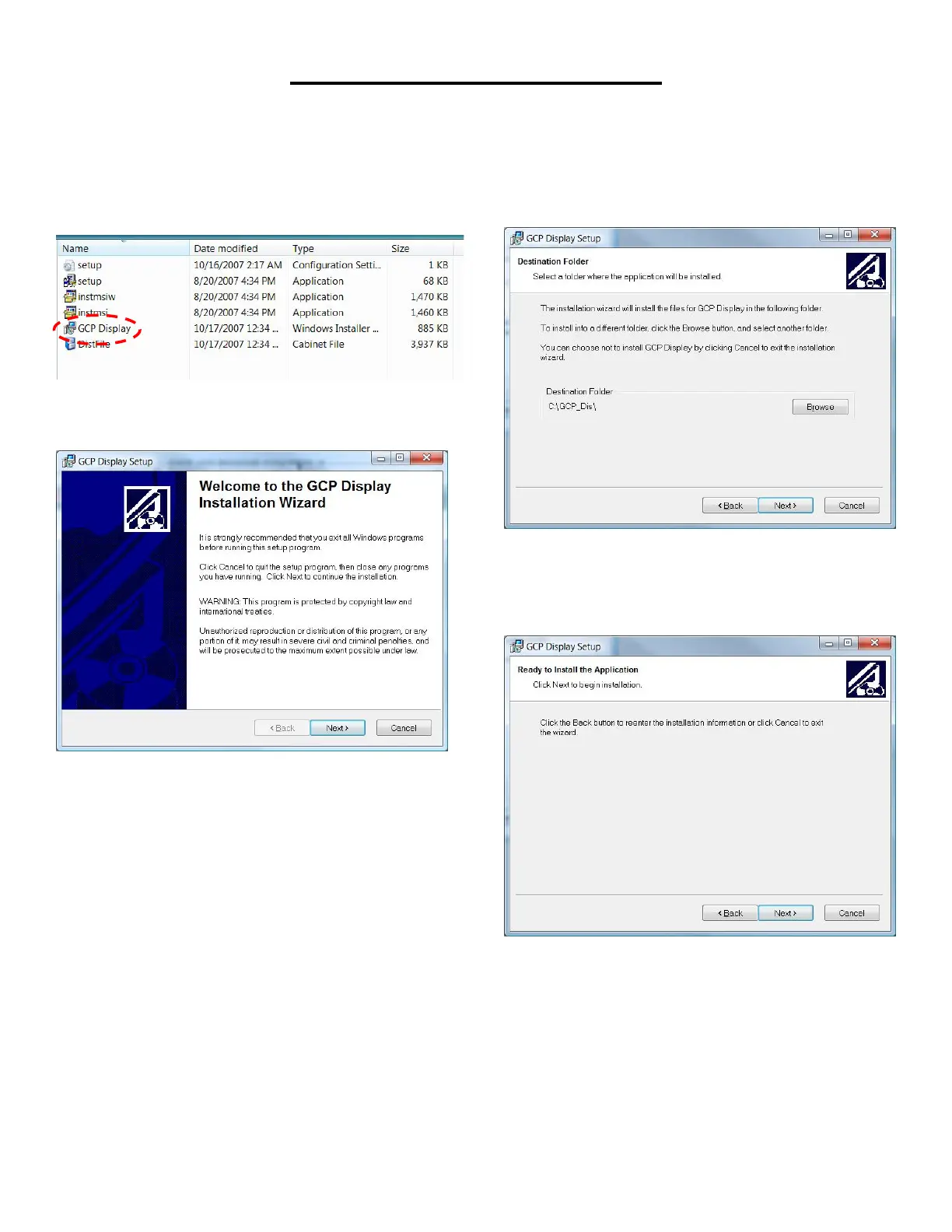
This will display the contents of the CD as shown.
Double click FPP Display icon.
You will now see a welcome screen.
Click next.
A screen will pop up telling you the name of the
destination folder.
Click next.
You will now see a screen telling you it is ready to install
the software.
Click next.



 To Next Page