1600751-4D
9 Installation
9.1 Units without a Vacotron module
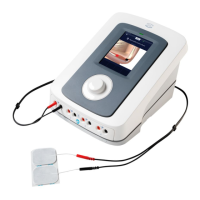
• Remove the 6-series unit and any additional items ordered from the carton and inspect
for damage that may have occurred during shipment.
• Place the unit on a desk or EN-Car. Ensure that there is sufficient air flow below the unit
(do not place the unit on a table-cover).
• If necessary, adjust the adjustable foot [21], so that the unit does not wobble.
9.2 Units with a Vacotron module
• Remove the 6-series unit and any additional items ordered from the carton and inspect
for damage that may have occurred during shipment.
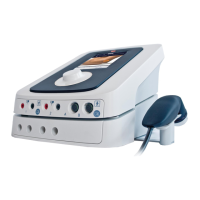
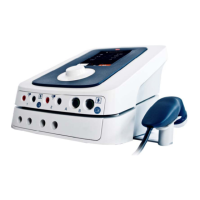
• Place the vacuum unit on a desk or EN-Car.
• If necessary adjust the vacuum unit's adjustable foot [25], so that the vacuum unit does
not wobble.
• Place the main unit on top of the vacuum unit.
• If necessary adjust the main unit's adjustable foot [21], so that the main unit does not
wobble.
• Push the vacuum hose [23] over the hose nipples on both units.
• Carefully lift the main unit at the front and insert flat cable [17] into connector [18].
9.3 Connection to mains supply
• Insert the mains cable into socket [20] and connect it to a wall socket. Status indicator
LED [14] indicates that the unit is connected to the mains supply.
!CAUTION:
• Do not place the unit in a location where the power cord could be tripped over or
pulled out during treatment.
• Do not attempt to use the unit if it is not properly grounded. Make certain that the
unit is electrically grounded by connecting it only to a grounded electrical service
receptacle conforming to the applicable national and local electrical codes
regarding medical environments.
• The unit will initialize. This may take a while. During initialization LED [14] blinks yellow.
• At the end of the initialization the unit enters standby mode. LED [14] is now
continuously yellow.
• Start the unit by pushing the standby button [19]
1
.
• The unit starts by executing the self test, during which LED [14] blinks green.
• At the end of the self test the unit enters the Home menu and is ready for use. LED [14]
is now continuously green.
• When you have finished treatments push the standby button [19]
1
again to leave the
unit in standby mode.
1
When you push the standby button for more than two seconds, the unit will completely
reinitialize and enter standby mode.



 To Next Page
 Loading...