24
To see the minimum, maximum and demand values of power parameters, rst select the relevant
screen with “P PF” button. Afterwards, you can display the following screens with MAX/MIN
DEMAND.
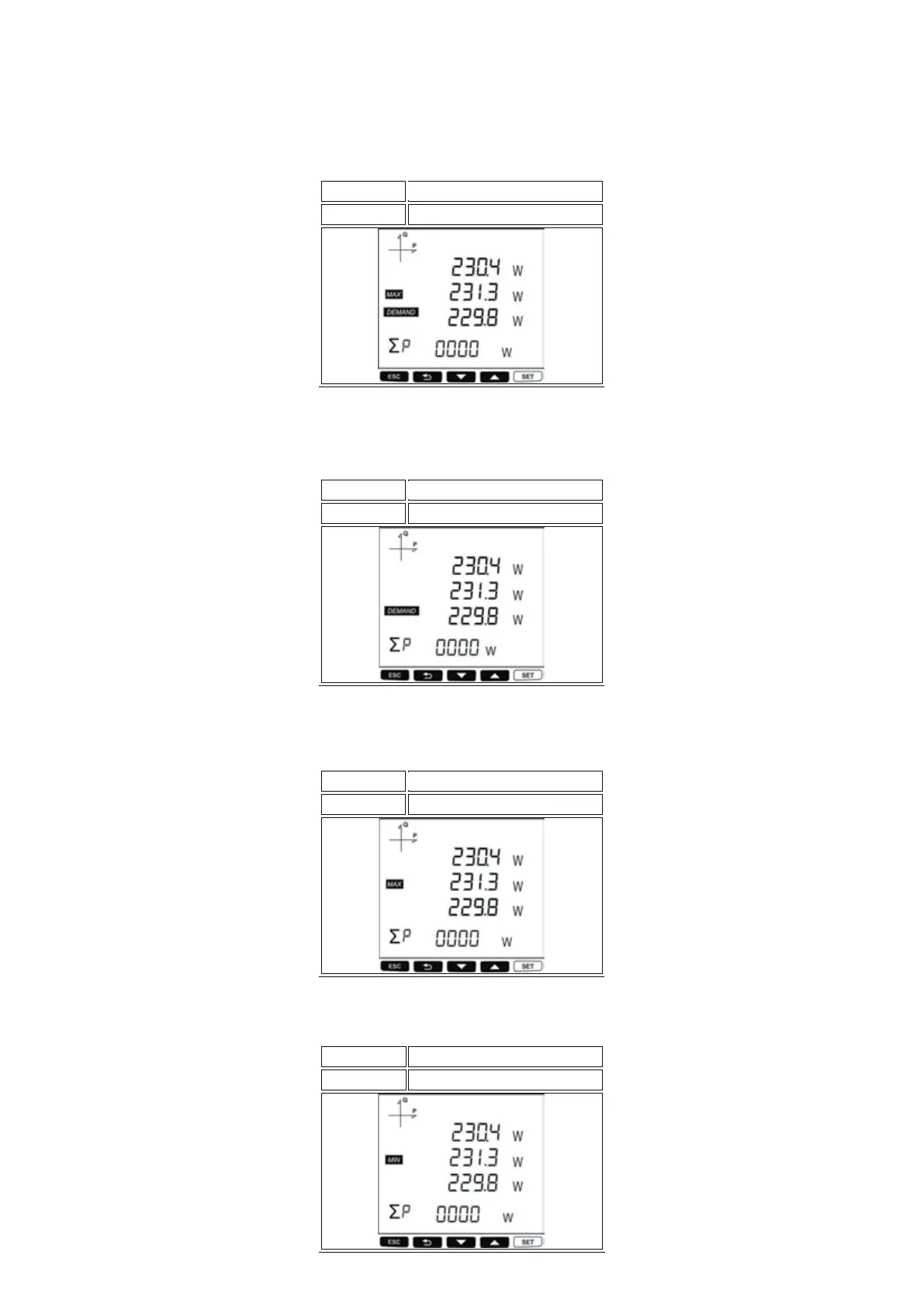
In this screen you can display Active Power Maximum Demand values for each phase. At the last row
you can see the Total Active Power Maximum Demand value.
PF F > SET
Button Name
Displayed Measurement Screen
MAX (Phase-Phase Voltage)
In this screen you can display Active Power Demand values for each phase. At the last row you can
see the Total Active Power Demand value.
PF F > SET
MIN (Phase-Phase Voltage)
Button Name
Displayed Measurement Screen
In this screen you can display Maximum Active Power values for each phase. At the last row you can
see the Total Maximum Active Power value.
PF F > SET
MAX CURRENT
Button Name
Displayed Measurement Screen
In this screen you can display Minimum Active Power values for each phase. At the last row you can
see the Total Minimum Active Power value.
PF F > SET
MIN CURRENT
Button Name
Displayed Measurement Screen



 To Next Page