Troubleshooting
12-5
R4C428_V2
long.bk Rev_C
A5 size TRBLE.FM
1/14/00 Pass 2
R
Proof Sign-off:
tantoname _______
leadername _______
editorname _______
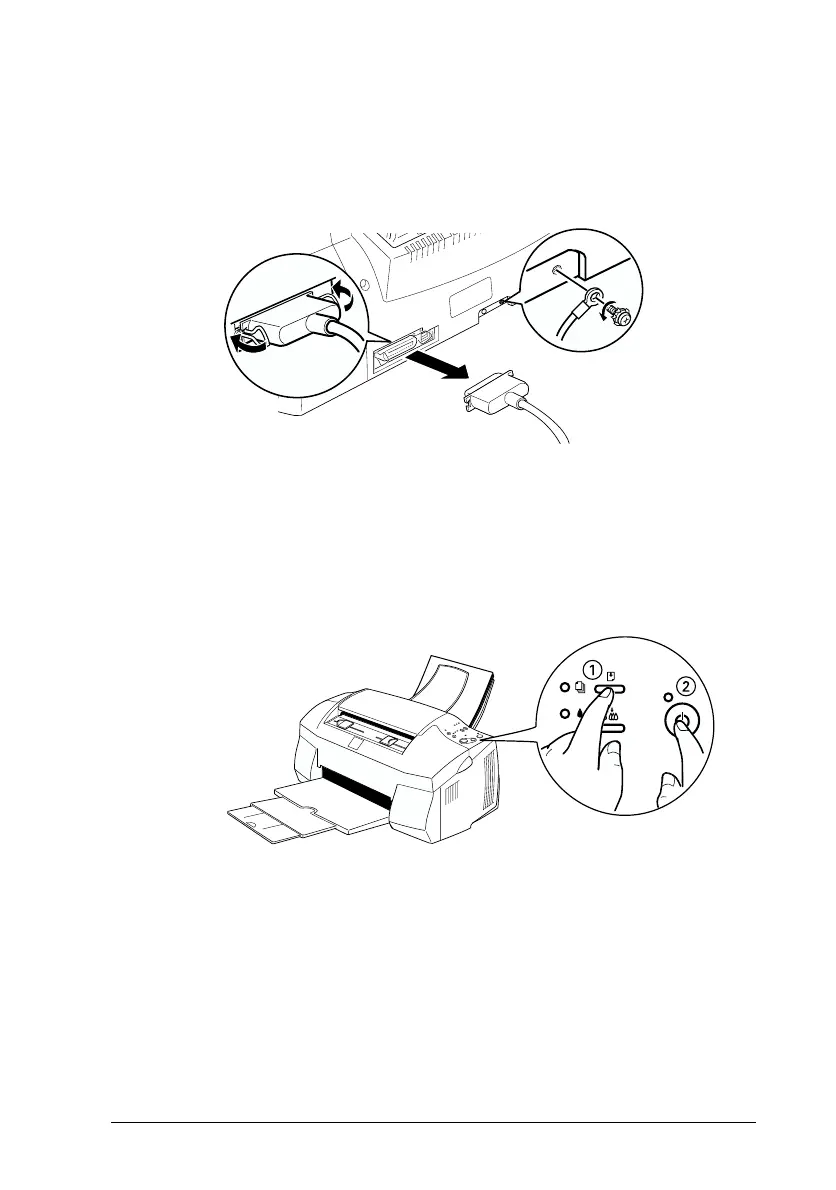
If you use the parallel interface, unlock the wire clips on both
sides of the interface connector and remove the ground
connector, if necessary. Then disconnect the cable from the
Stylus Scan’s interface connector.
3. Make sure that A4 or Letter size paper is loaded in the paper
feeder.
4. Hold down the
E
load/eject button and press the
P
power
button to turn on the Stylus Scan. Then release both buttons.
The Stylus Scan prints an operation check page that includes
the Stylus Scan's ROM version number, the ink counter code,
and a nozzle check pattern.



 To Next Page