6-16
Using the Printer Software for Macintosh
R4C428_V2
long.bk Rev_C
A5 size SOFTM.FM
1/14/00 Pass 2
L
Proof Sign-off:
tantoname _______
leadername _______
editorname _______
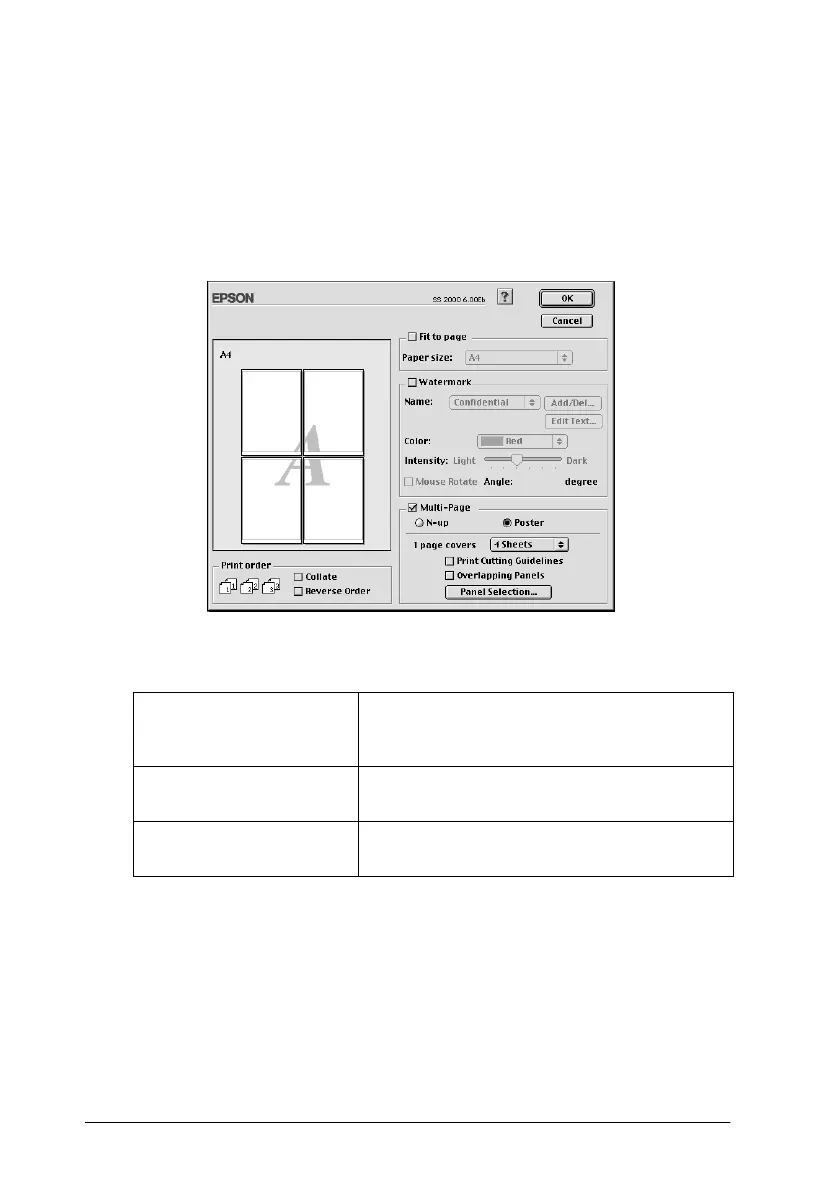
Printing posters
A single document page can be enlarged to cover 4, 9, or 16
printed sheets of paper. To print a poster-size image, select the
Multi-Page
check box in the Page Layout dialog box, then click
Poster
.
You can make the following settings.
If you only want to print a few of the panels without printing the
entire poster, click
Panel Selection
, then click the panels you
don’t wish to print, and then click
OK
. Only the panels that you
did not click will be printed.
1 Page covers xx sheets
Specifies how many printed pages the
enlarged document page is to cover. You
can select 4, 9, or 16 pages.
Overlapping Panels
S li gh t ly ov e rla ps th e i ma ge s s o t ha t t he y c an
be aligned more precisely.
Print Cutting Guidelines
Prints border lines on the images to guide
you when trimming the pages.



 To Next Page