Using the Printer Software for Macintosh
6-15
R4C428_V2
long.bk Rev_C
A5 size SOFTM.FM
1/14/00 Pass 2
R
Proof Sign-off:
tantoname _______
leadername _______
editorname _______
Fitting your document to the paper size
You can proportionally enlarge or reduce the size of the image to
make it fit the paper size you select in the Paper Size list. To do
this, select the
Fit to Page
check box, then specify the paper size
you loaded in the Stylus Scan in the Paper Size list.
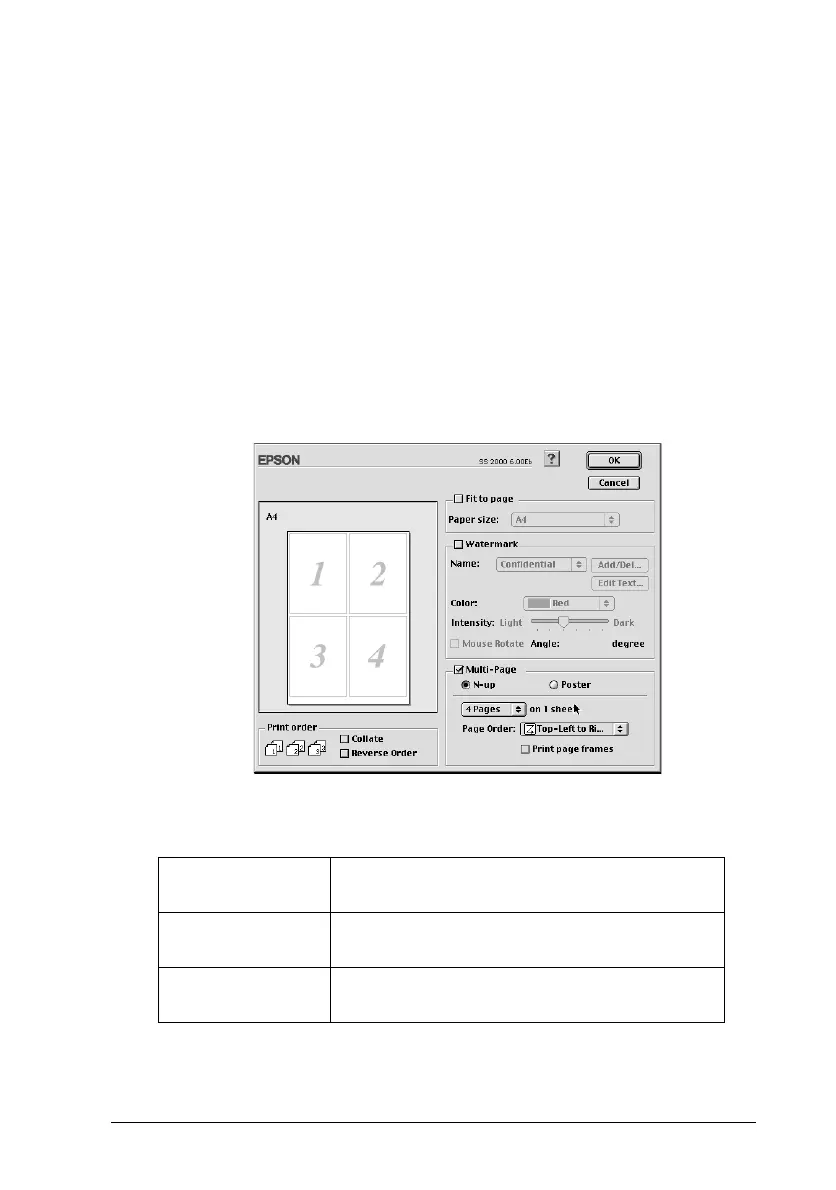
Printing two or four pages on one sheet
To print two or four pages of your document on one sheet of
paper, select the
Multi-Page
check box in the Page Layout dialog
box, then click
N-up
.
You can make the following settings.
2 Pages
4 Pages
Prints two or four pages of your document on
a single piece of paper.
Page Order
Allows you to specify the order in which the
pages will be printed on the sheet of paper.
Print page
frames
Prints a frame around each page on the sheet
of paper.



 To Next Page