Using the Printer Software for Macintosh
6-13
R4C428_V2
long.bk Rev_C
A5 size SOFTM.FM
1/14/00 Pass 2
R
Proof Sign-off:
tantoname _______
leadername _______
editorname _______
Defining a custom paper size
If the appropriate paper size is not included in the Paper Size list
in the Page Setup dialog box, follow the steps below to define a
custom paper size.
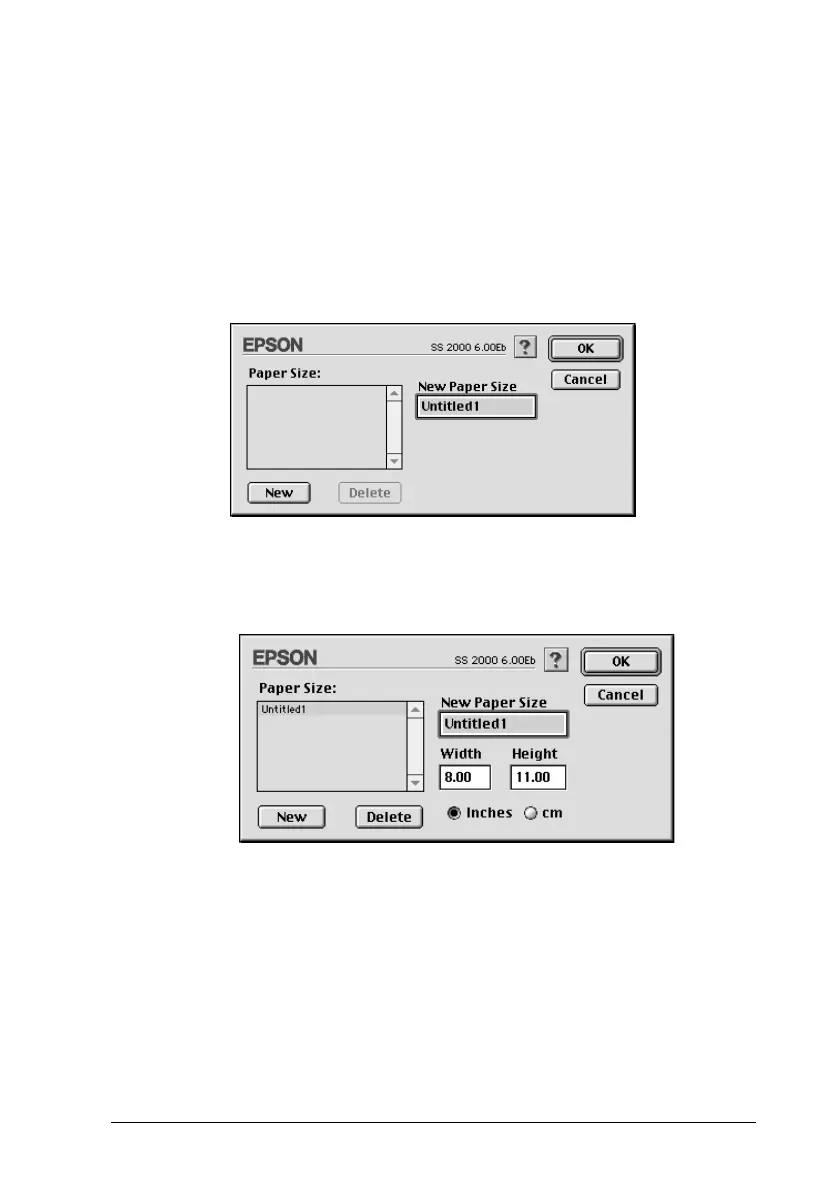
1. In the Page Setup dialog box, click
Customize
. The following
dialog box appears.
2. To define a new paper size, click
New
. The dialog box updates
to allow you to enter a name for the new size.
3. Type a unique name for the paper size in the New Paper Size
box.
4. Specify the measurement unit as either
Inches
or
cm
.
5. Enter the width and the height of your paper.
6. Click
OK
to return to the Page Setup dialog box.



 To Next Page