12-10
Troubleshooting
R4C428_V2
long.bk Rev_C
A5 size TRBLE.FM
1/14/00 Pass 2
L
Proof Sign-off:
tantoname _______
leadername _______
editorname _______
❏
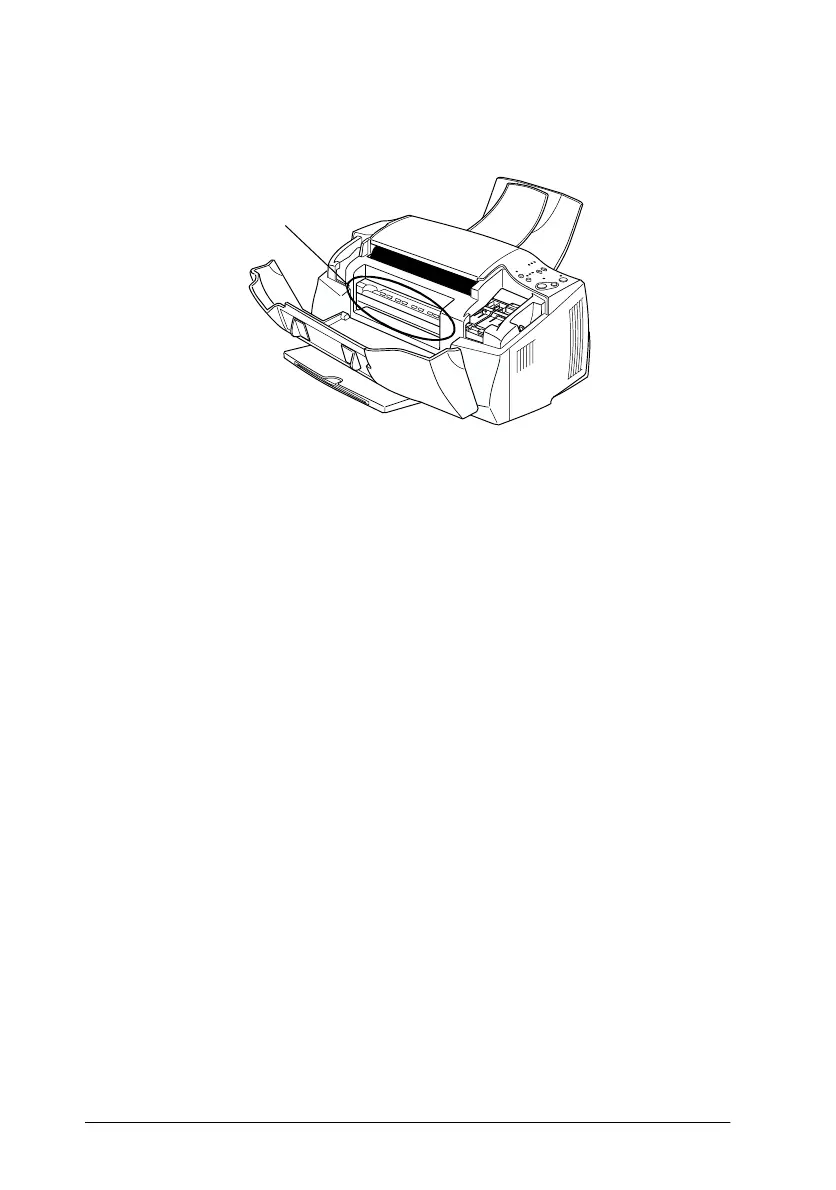
Ink may have leaked inside the EPSON Stylus Scan. Wipe the
inside of the Stylus Scan with a soft, clean cloth.
The Stylus Scan does not print or copy
If one of the following error indications is displayed, try the
solutions listed.
❏
All lights are off
❏
Lights came on and then went out
❏
Only the
P
power light is on
❏
The
E
paper out light is flashing or on.
❏
One of the ink out lights is flashing or on.
❏
All lights are flashing.
All lights are off
Try one or more of these solutions:
❏
Press the
P
power button and make sure the EPSON Stylus
Scan is on.
❏
Turn off the Stylus Scan and make sure the power cord is
securely plugged in.
Wipe here.



 To Next Page