4-18
Using the Printer Software for Windows
R4C428_V2
long.bk Rev_C
A5 size SOFTW.FM
1/14/00 Pass 2
L
Proof Sign-off:
tantoname _______
leadername _______
editorname _______
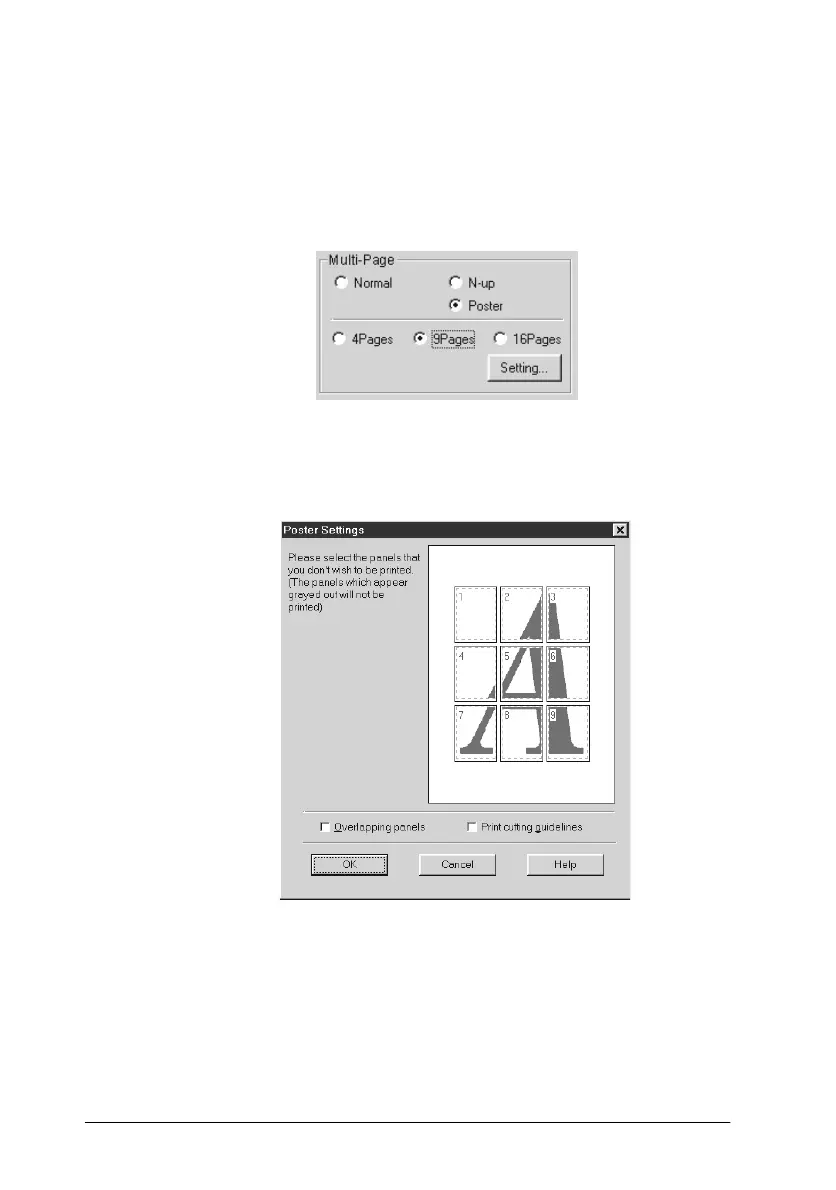
Printing posters
A single document page can be enlarged to cover 4, 9, or 16
printed sheets of paper. Select
Poster
as the Multi-Page setting to
print a poster-size image.
Click the
Settings
button to adjust the way your poster will print.
The Poster Settings dialog box opens.
Printing a watermark on your document
To print a watermark on your document, click anywhere in the
Watermark list box on the Layout menu, and select from the list
of predefined watermarks.



 To Next Page