Using the Printer Software for Windows
4-19
R4C428_V2
long.bk Rev_C
A5 size SOFTW.FM
1/14/00 Pass 2
R
Proof Sign-off:
tantoname _______
leadername _______
editorname _______
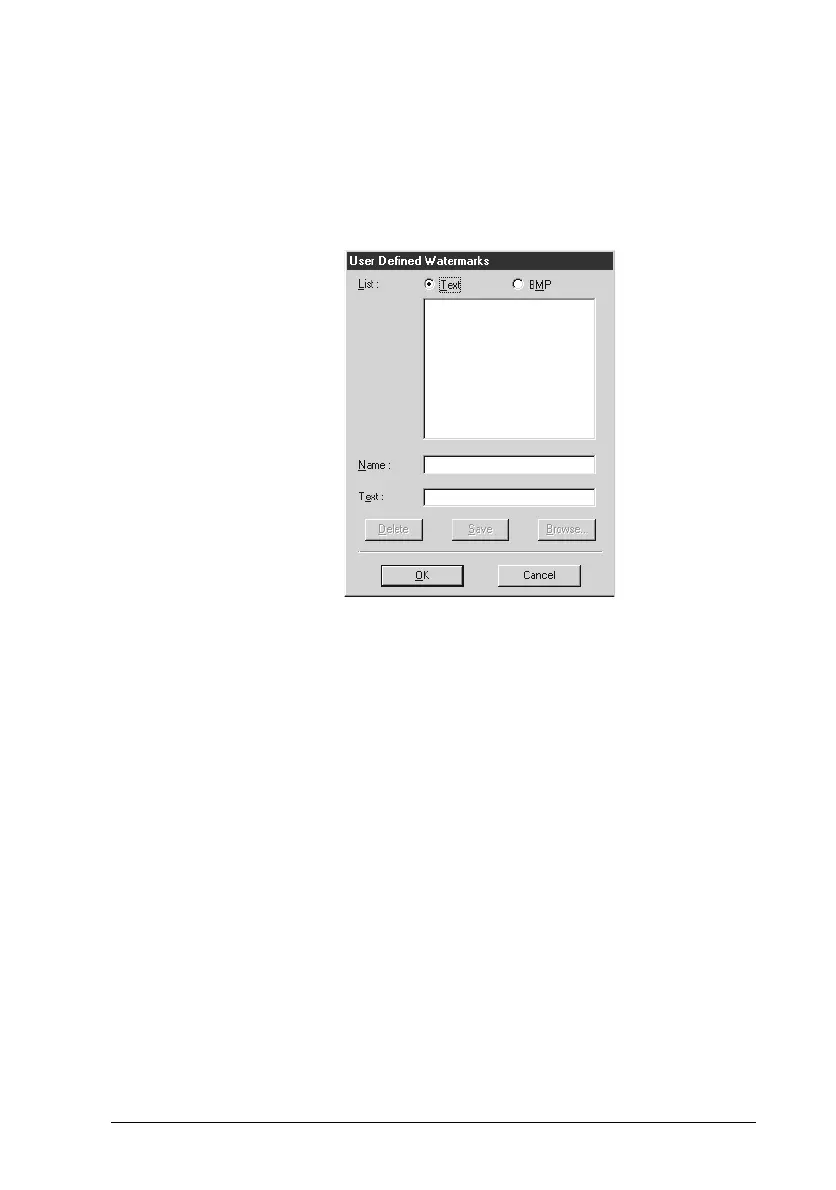
You can also add your own text-based or image-based
watermarks to the Watermark list.
To add a watermark, click the
Add/Del
button. The following
dialog box appears.
Creating an image-based watermark:
1. Select
BMP
.
2. Click the
Browse
button to specify the bitmap file you want
to use, then click
OK
.
3. Type a name for your watermark in the Name box, then click
Save
.
4. Click
OK
to return to the Layout menu.
Creating a text-based watermark:
1. Select
Text
.
2. Type your text in the Text box. The text that you enter will
also be assigned to the watermark as a watermark name.



 To Next Page