21
Preparation
Setting the Publish Mode
This product has the following Publish Modes: Standard Mode, External Output Mode, and Batch Mode. Select the
mode that is used based on the disc publishing quantity and application. Mount the stackers based on the selected
mode, and set the Publish Mode.
Types of Publish Modes
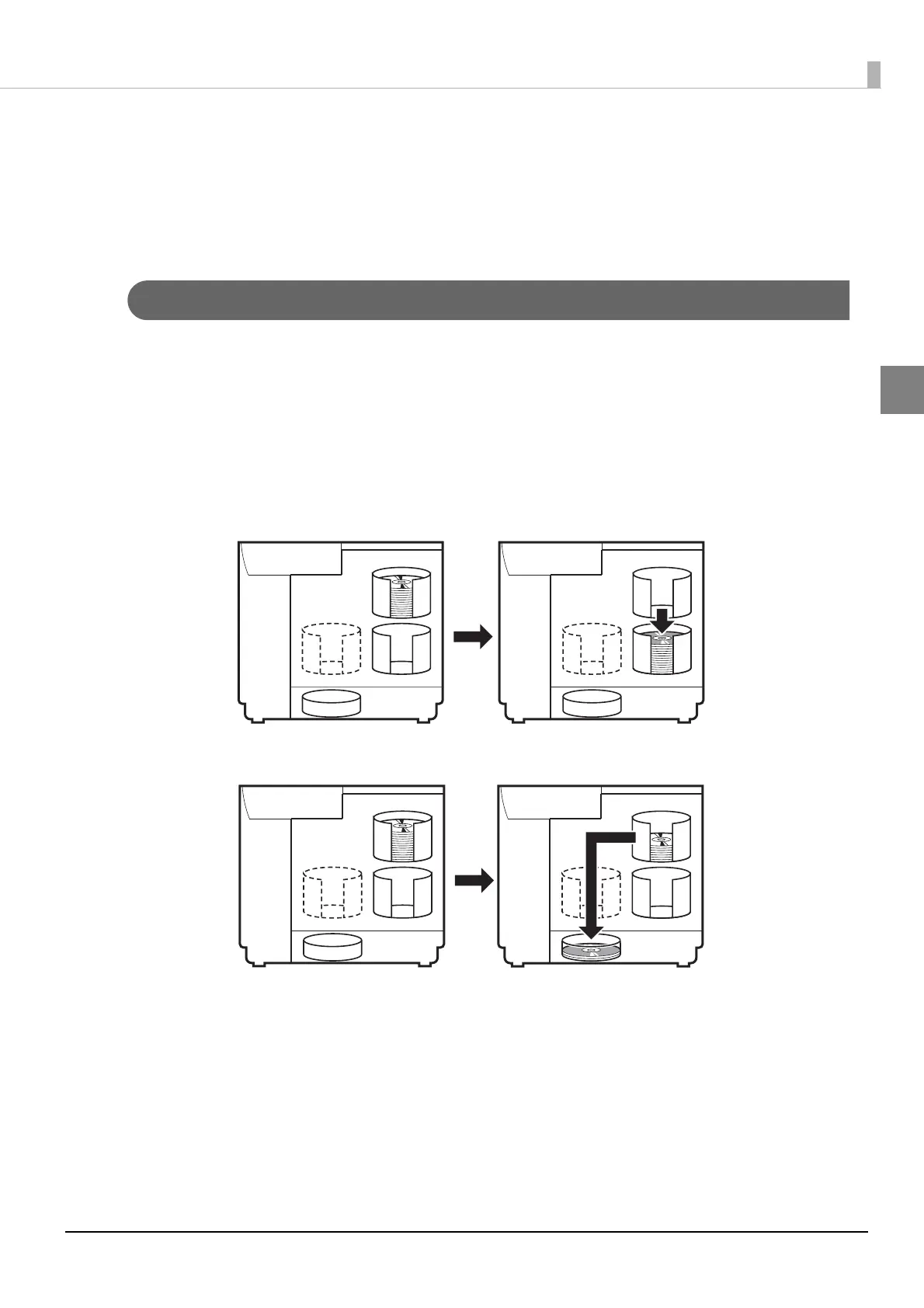
Standard Mode
This mode uses Stacker 1 as the input stacker for discs. You can select Stacker 2 or Stacker 4 as the output stacker.
If you select Stacker 2 as the output stacker, you can publish up to 50 discs without having to replenish the discs or
take out published discs.
If you select Stacker 4 as the output stacker, you can easily take out published discs without even having to pause a
job during publishing.
Repeatedly replenishing and removing discs allows for the continuous publishing of up to 1,000 discs.
1
23
4
1
23
4
1
23
4
1
23
4
Blank discs
Published discs
Published discs
Blank discs
Blank discs



 To Next Page
 Loading...








