53
Administration and Management
Registering users
Use the following procedure to register a second or subsequent administrator or publisher.
1
Log in to EPSON Total Disc Net Administrator.
See “Logging in to EPSON Total Disc Net Administrator” in the PP-100N User’s Guide for the login procedure.
2
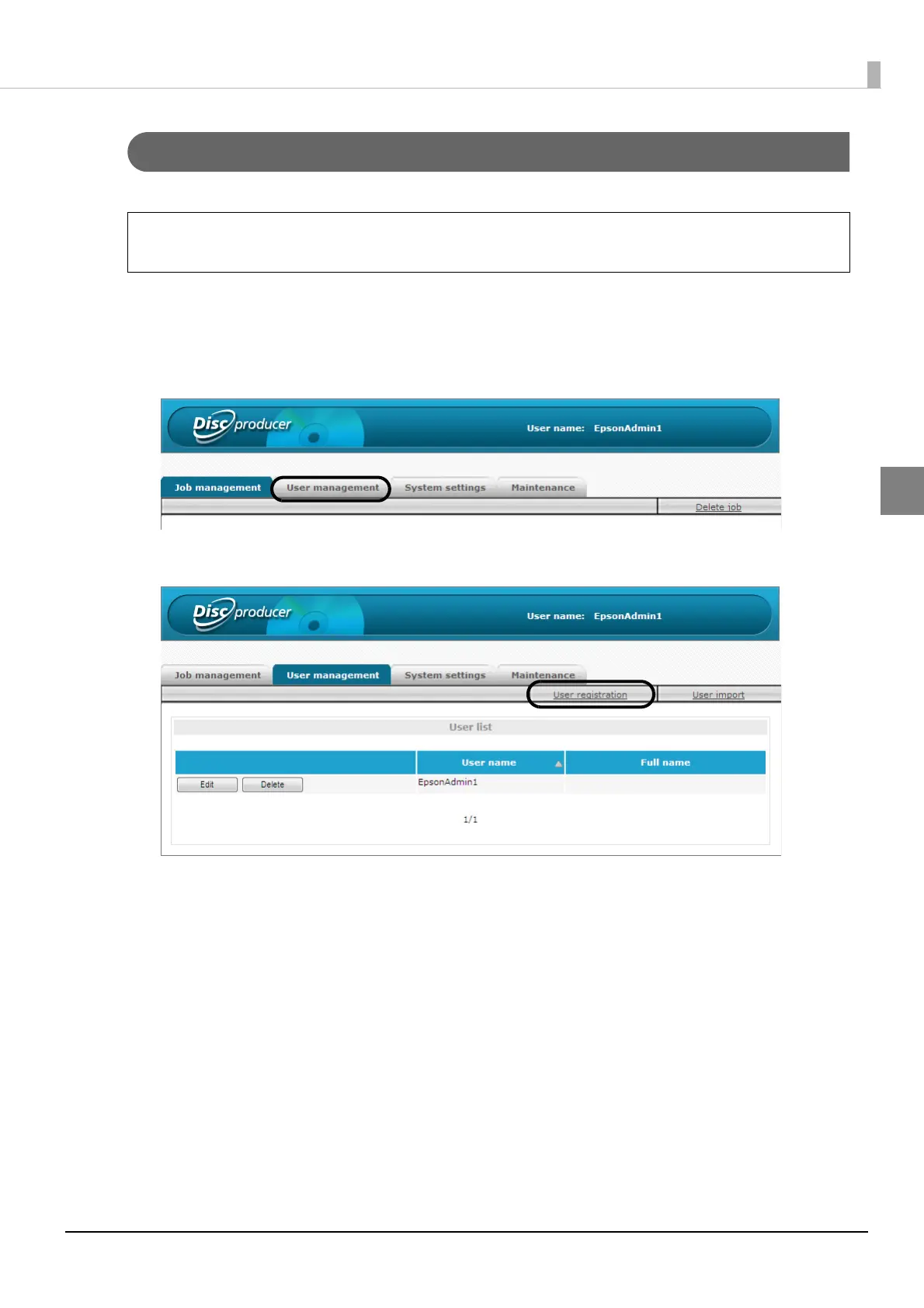
Click the [User management] tab.
3
Click [User registration].
You can perform a batch registration of multiple users. See “Batch registering users” on
page 56 in this guide for the procedure to perform a batch registration of multiple users.
Note



 To Next Page
 Loading...








