54
4
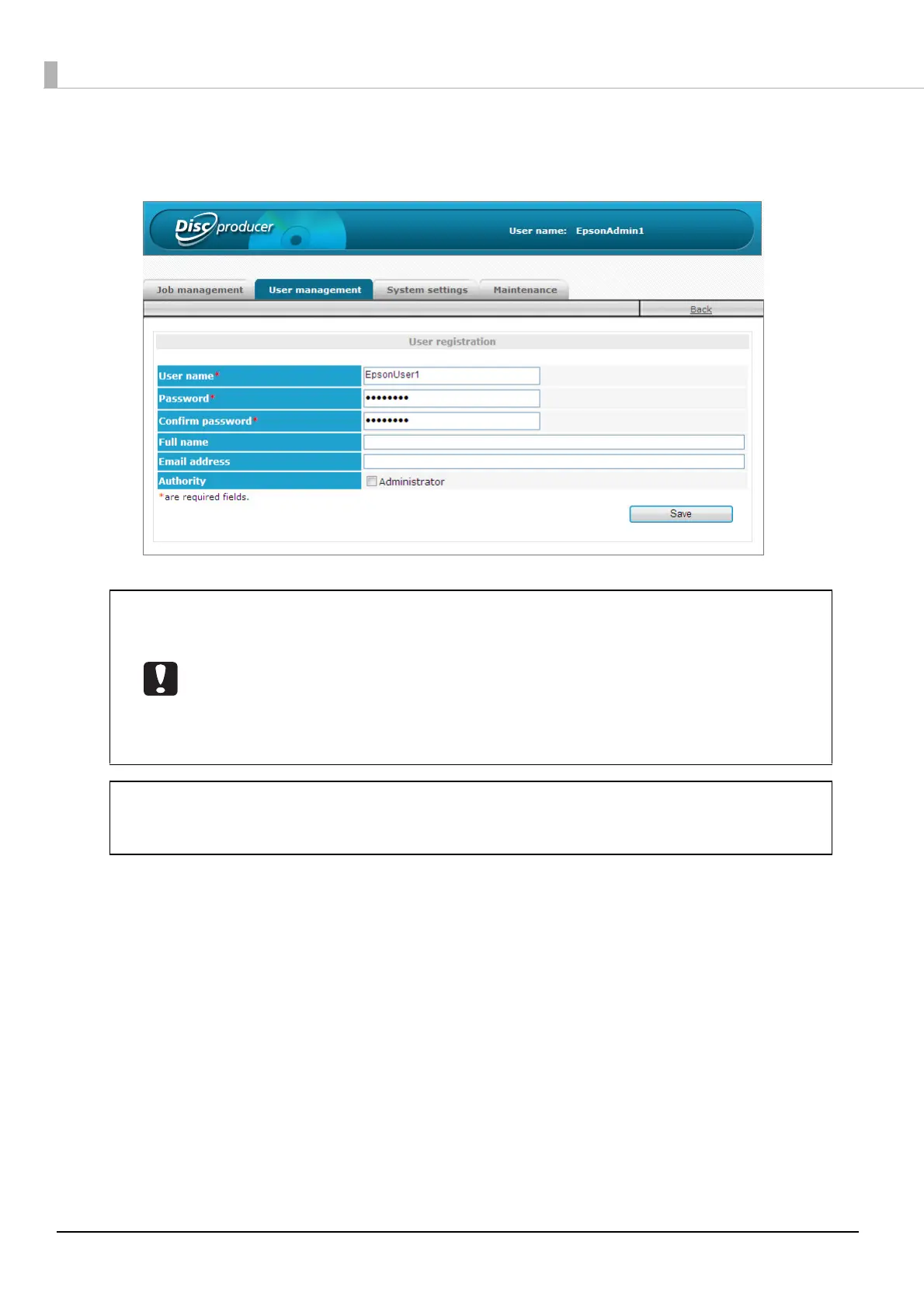
Enter the user name and password, and then enter the password again for confirmation,
and click [Save].
• To add an administrator, select the [Administrator] check box.
• Enter 5 to 16 alphanumeric characters for the user name.
• Enter 5 to 16 alphanumeric characters or symbols (“.”, “ -”, “_”) for the password.
• The password is case-sensitive.
• Do not set a date of birth, employee number, or anything else that is easy to guess for
the password.
• Manage the password so that it cannot be used by anyone other than the user.
• You can register the information for up to 100 users.
Enter a full name and email address if necessary. An email address needs to be entered if
notification email transmission is set. See “Notification email transmission settings” on page
37 in this guide for details on setting the notification email transmission.
Note



 To Next Page
 Loading...








