45
Administration and Management
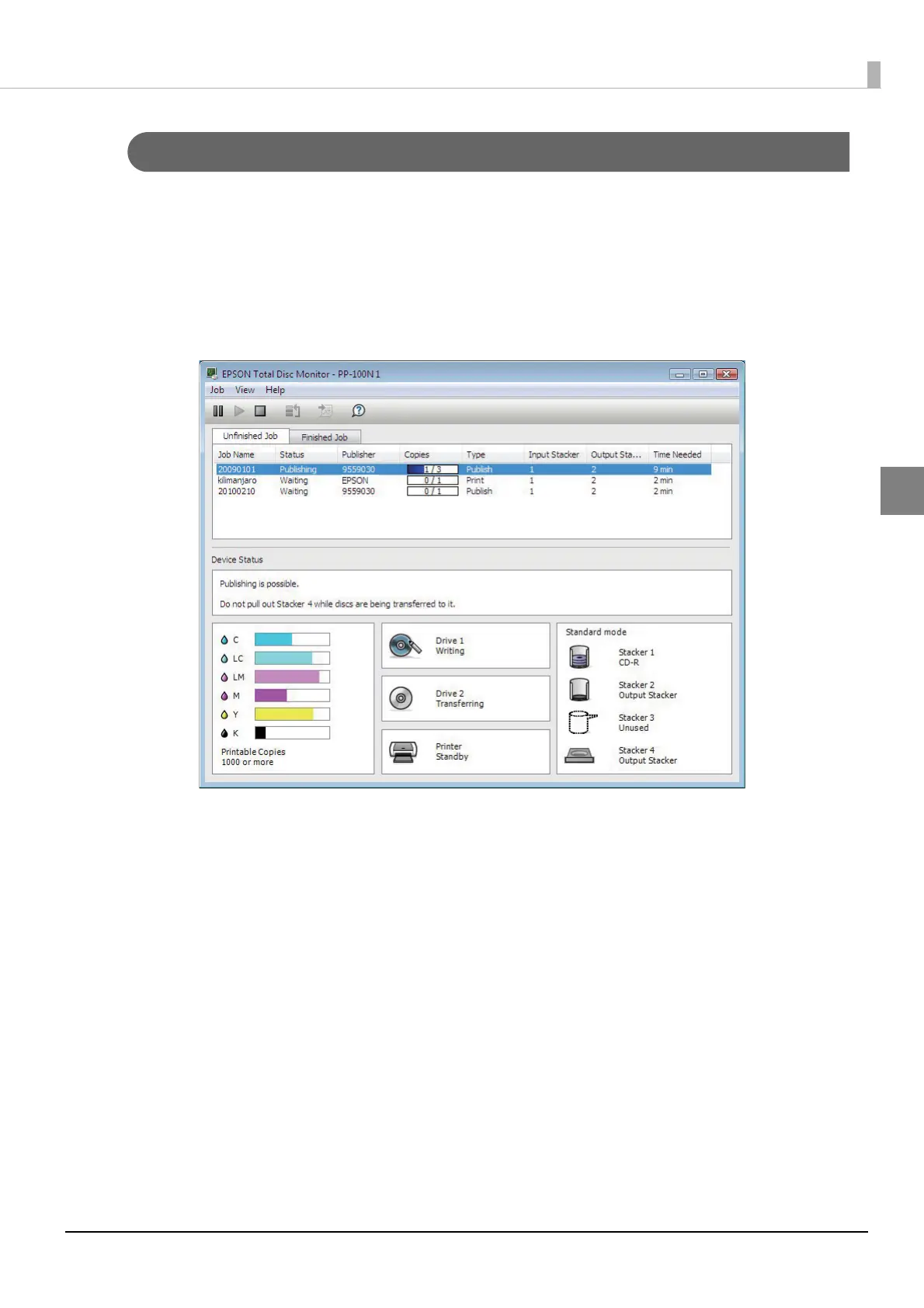
Checking the job processing status
Use the following procedure to check the job processing status.
1
Start EPSON Total Disc Monitor.
See “Starting EPSON Total Disc Monitor” in the PP-100N User’s Guide for the start procedure.
2
Click the [Unfinished Job] tab or [Finished Job] tab.
The [Unfinished Job] screen or [Finished Job] screen appears.
[Unfinished Job] screen: Displays a list of jobs for which the status is Waiting, Publishing, Paused, Pausing,
Canceling, Standby, or Recovering.
[Finished Job] screen: Displays a list of jobs for which the status is Published and Cancel (up to 50 jobs from
the most recent).



 To Next Page
 Loading...








