60
Deleting user information
Use the following procedure to delete registered user information.
1
Log in to EPSON Total Disc Net Administrator.
See “Logging in to EPSON Total Disc Net Administrator” in the PP-100N User’s Guide for the login procedure.
2
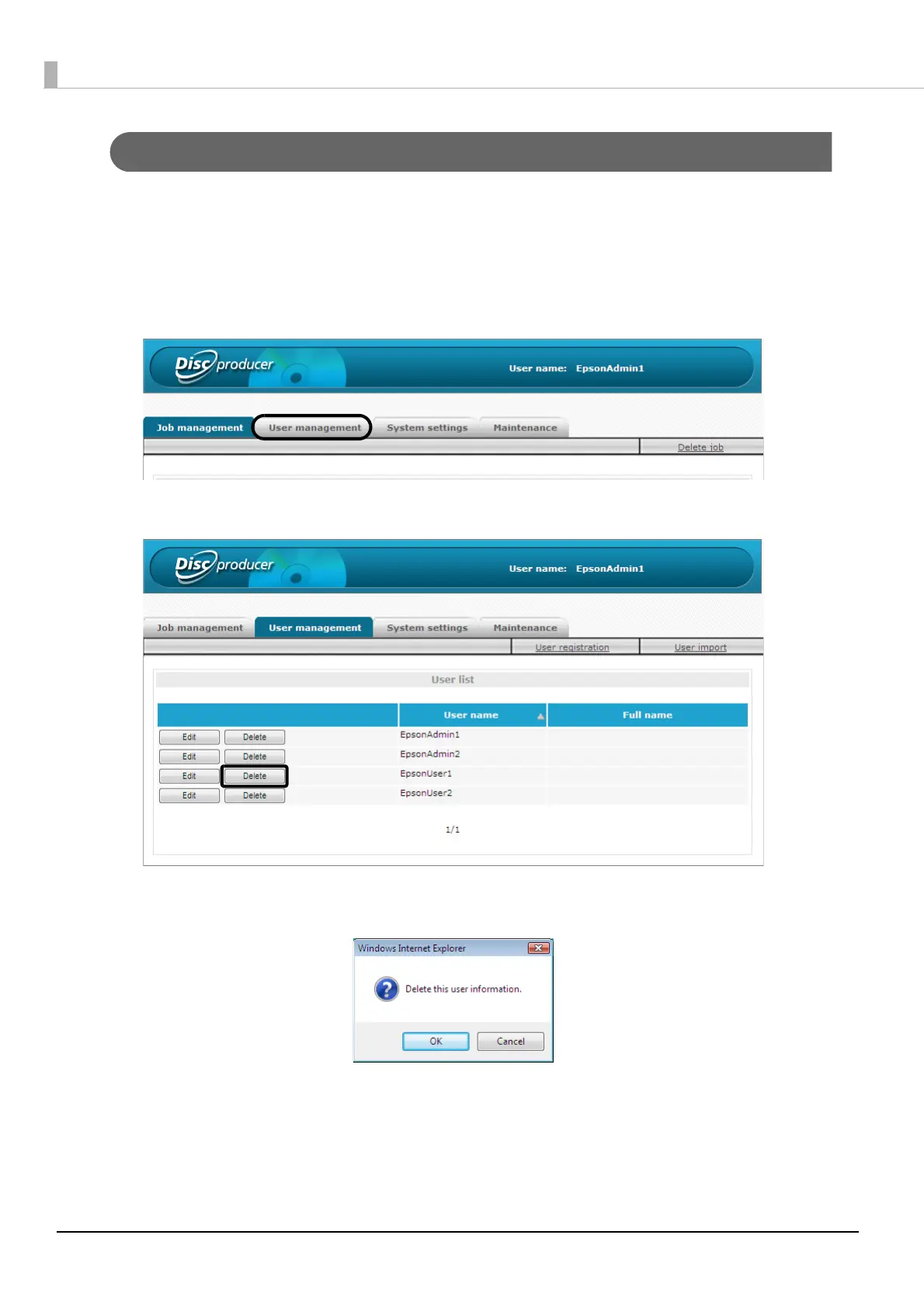
Click the [User management] tab.
3
Click [Delete] for the user for which you want to delete the information.
4
Click [OK].
The user list of the [User management] screen appears.
Check that the user was deleted.



 To Next Page
 Loading...








