49
Administration and Management
Priority Publishing
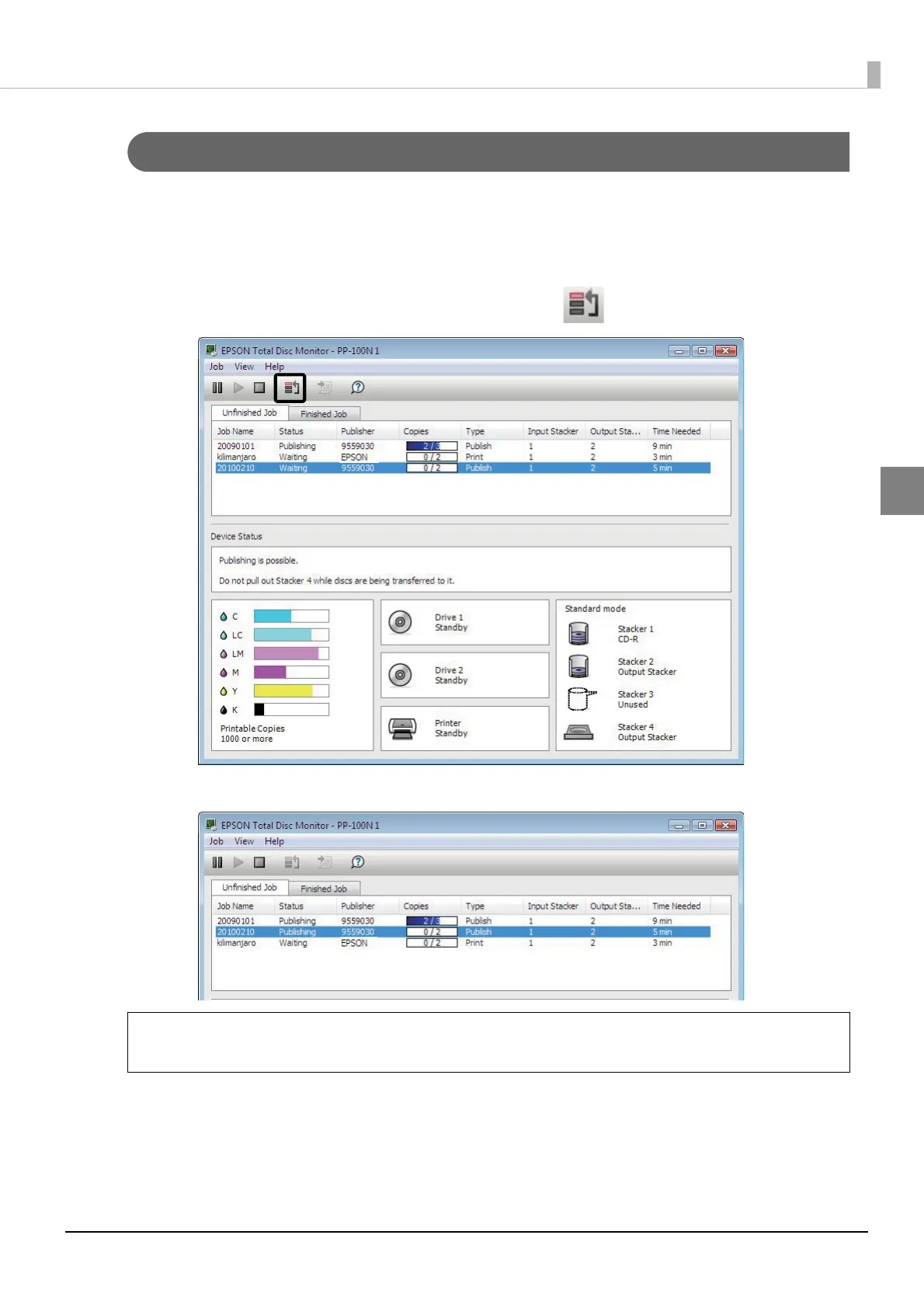
If you need to process a job before the others when more than one job is being published, use the following procedure.
1
Start EPSON Total Disc Monitor.
See “Starting EPSON Total Disc Monitor” in the PP-100N User’s Guide for the start procedure.
2
Select the job you want to give priority to, and click [Priority Publishing].
The selected job will be processed after the job in progress.
Any job cannot be given priority before such operations as nozzle checking, aligning print
head, and correcting printing position.
Note



 To Next Page
 Loading...








