63
Administration and Management
Changing the Publish Mode
This section describes how to change the Publish Mode.
1
Check that all jobs are finished.
See “Checking the job processing status” on page 45 in this guide for details on the check procedure.
2
Log in to EPSON Total Disc Net Administrator.
See “Logging in to EPSON Total Disc Net Administrator” in the PP-100N User’s Guide for the login procedure.
3
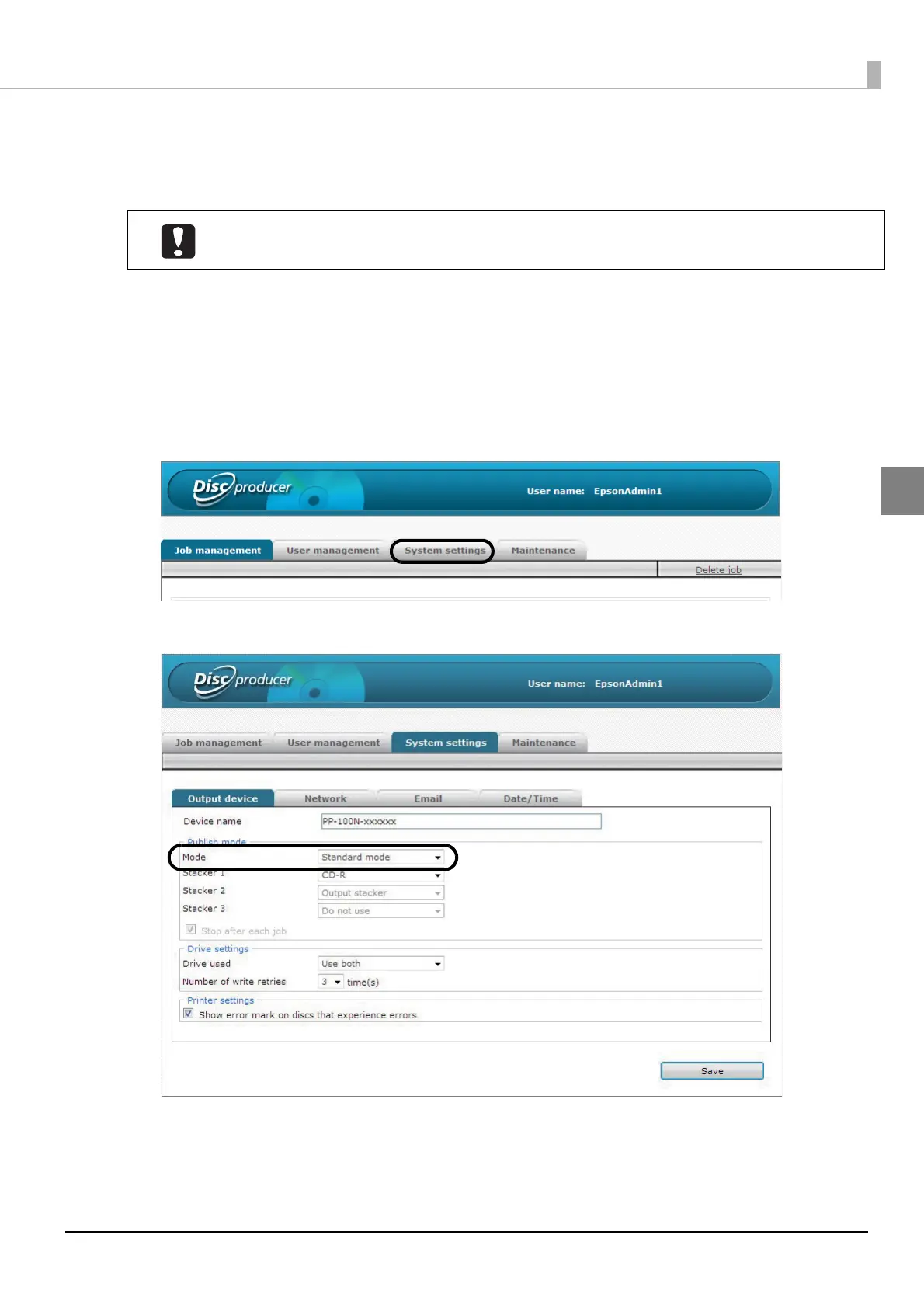
Click the [System settings] tab.
4
Change [Mode] to the Publish Mode to use, and click [Save].
Changing the Publish Mode deletes the spool data.



 To Next Page
 Loading...








