62
4
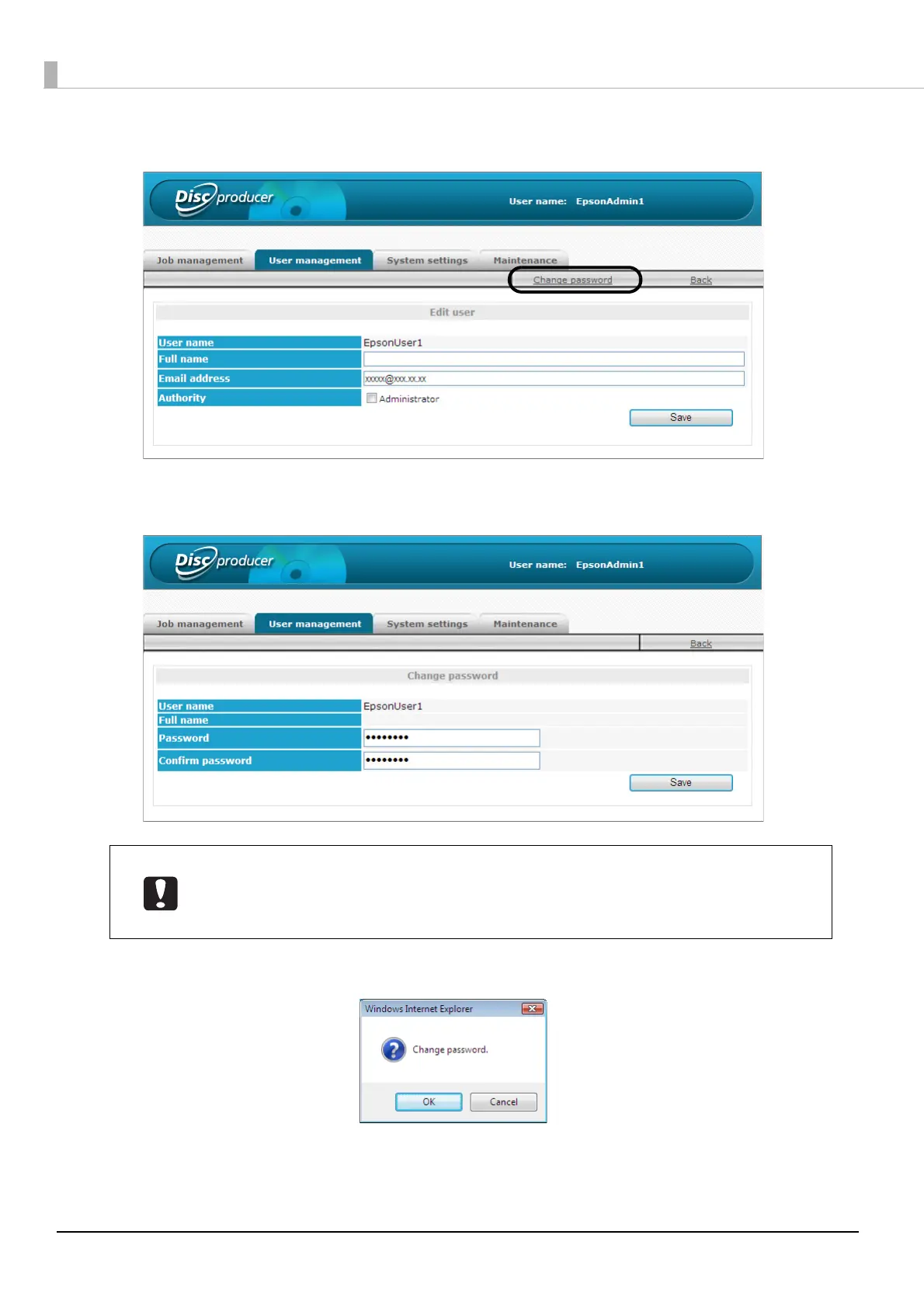
Click [Change password].
5
Enter the new password, and click [Save].
6
Click [OK].
• Enter 5 to 16 alphanumeric characters or symbols (“.”, “ -”, “_”) for the password.
• The password is case-sensitive.
• Do not set a date of birth, employee number, or anything else that is easy to guess for
the password.



 To Next Page
 Loading...








