25
Preparation
3
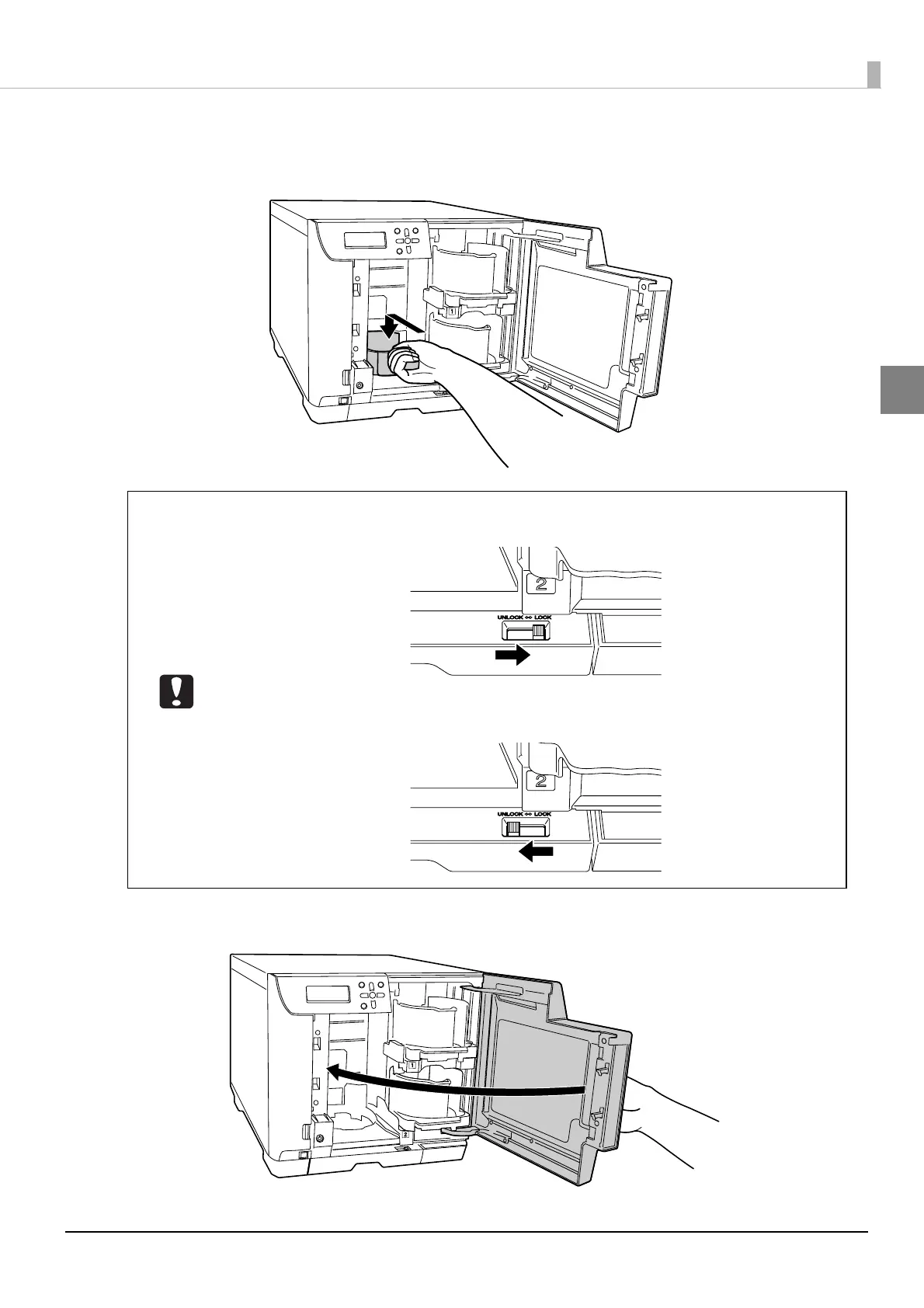
If using Batch Mode, or when Stacker 3 is set as the output stacker in External Output
Mode, grasp the handle of Stacker 3, and insert by aligning with the recesses.
4
Close the disc cover.
• When using Stacker 3, set the lock lever to the [LOCK] position, and do not pull out
Stacker 4.
• Stacker 3 is not used in Standard Mode and when Stacker 4 is set as the output stacker
in External Output Mode. Set the lock lever to the [UNLOCK] position.



 To Next Page
 Loading...








