57
Administration and Management
3
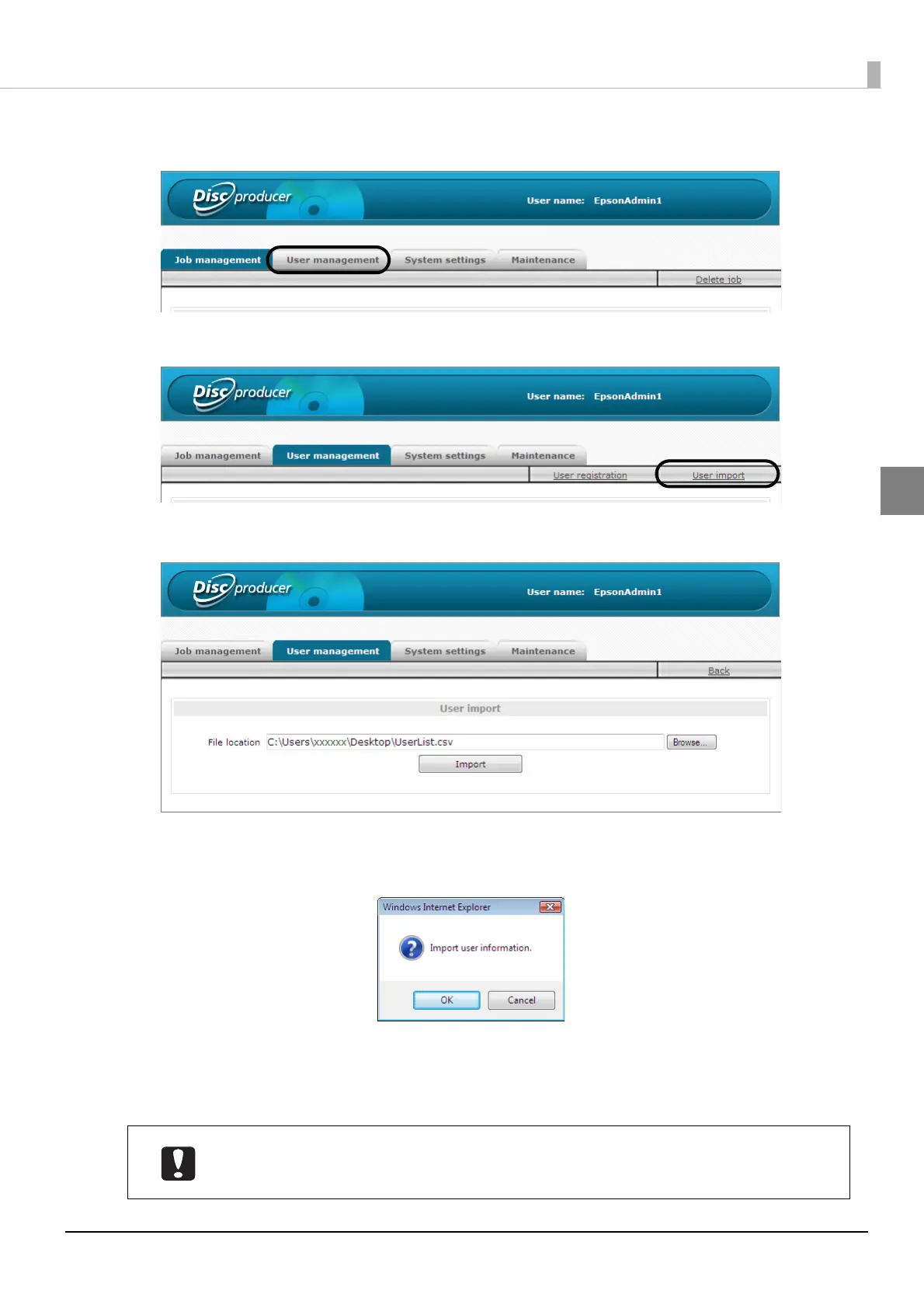
Click [User management] tab.
4
Click [User import].
5
Click [Browse], specify the CSV file, and click [Import].
6
Click [OK].
When the registration is finished, the user list of the [User management] screen appears.
If the registration of even one user fails, the line number of each user that could not be registered and the
corresponding cause is displayed. The users of other line numbers are registered.
• The administrator should appropriately manage CSV files containing passwords.
• Inform each user of the set user name and password. The user changes the password
after logging in.



 To Next Page
 Loading...








