Entering Characters
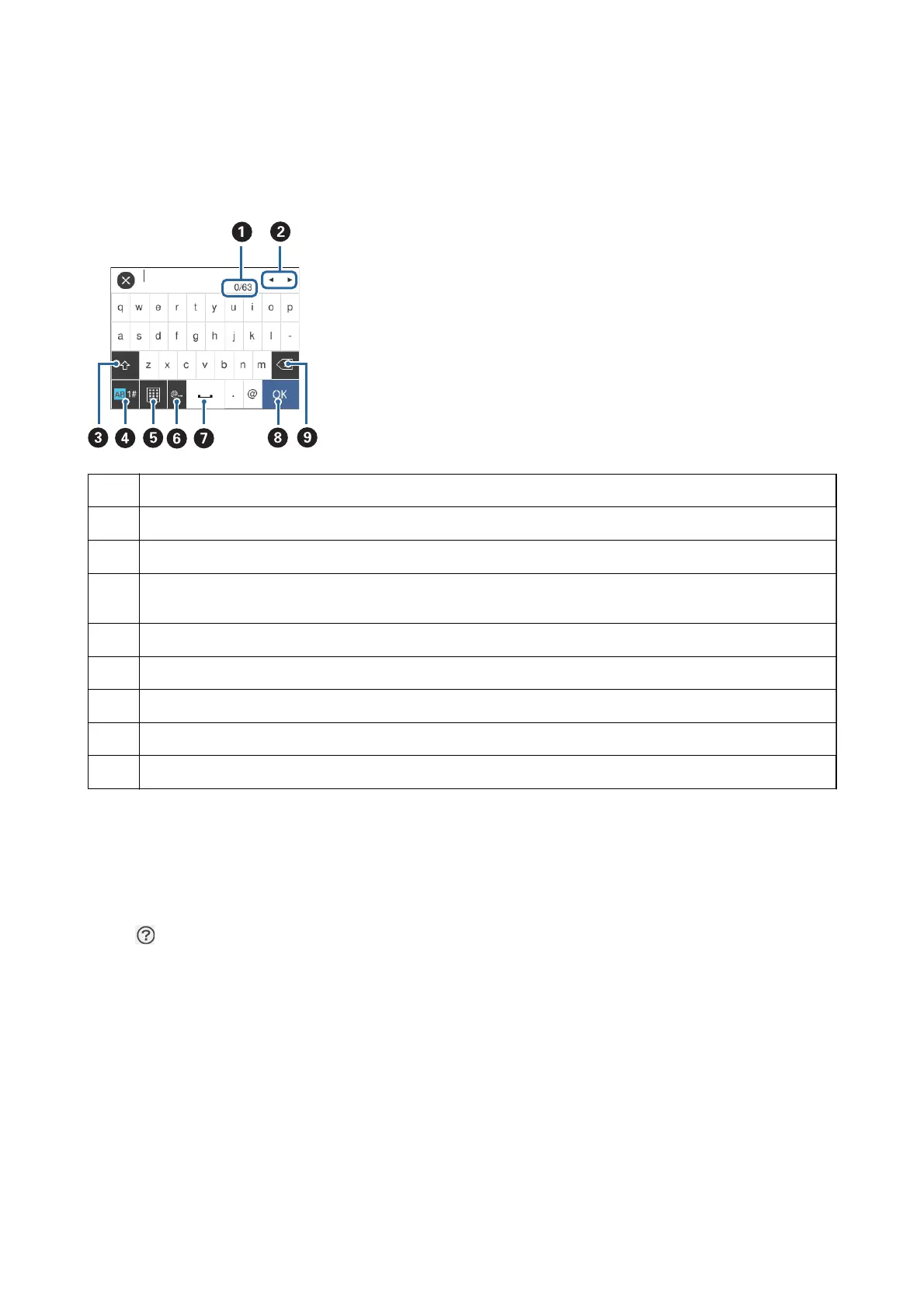
You can enter characters and symbols by using on-screen keyboard when you make network settings and so on.
A
Indicates the character count.
B
Moves the cursor to the input position.
C
Switches between upper case and lower case or numbers and symbols.
D
Switches the character type. You can enter alphanumerics, symbols, and special characters such as umlauts and
accents.
E
Changes the keyboard layout.
F
Enters frequently used email domain addresses or URLs by simply selecting the item.
G
Enters a space.
H
Enters character.
I
Deletes a character to the left.
Viewing Animations
You can view animations of operating instructions such as loading paper or removing jammed paper on the LCD
screen.
❏ Tap
on the right of the LCD screen: Displays the help screen. Tap How To and select the items that you want
to view.
User's Guide
Printer Basics
24



 To Next Page
 Loading...










