REV.-A
4.2.5.2
Removal of Paper-Feed Motor, Release Lever, and Release /Tractor Sensor
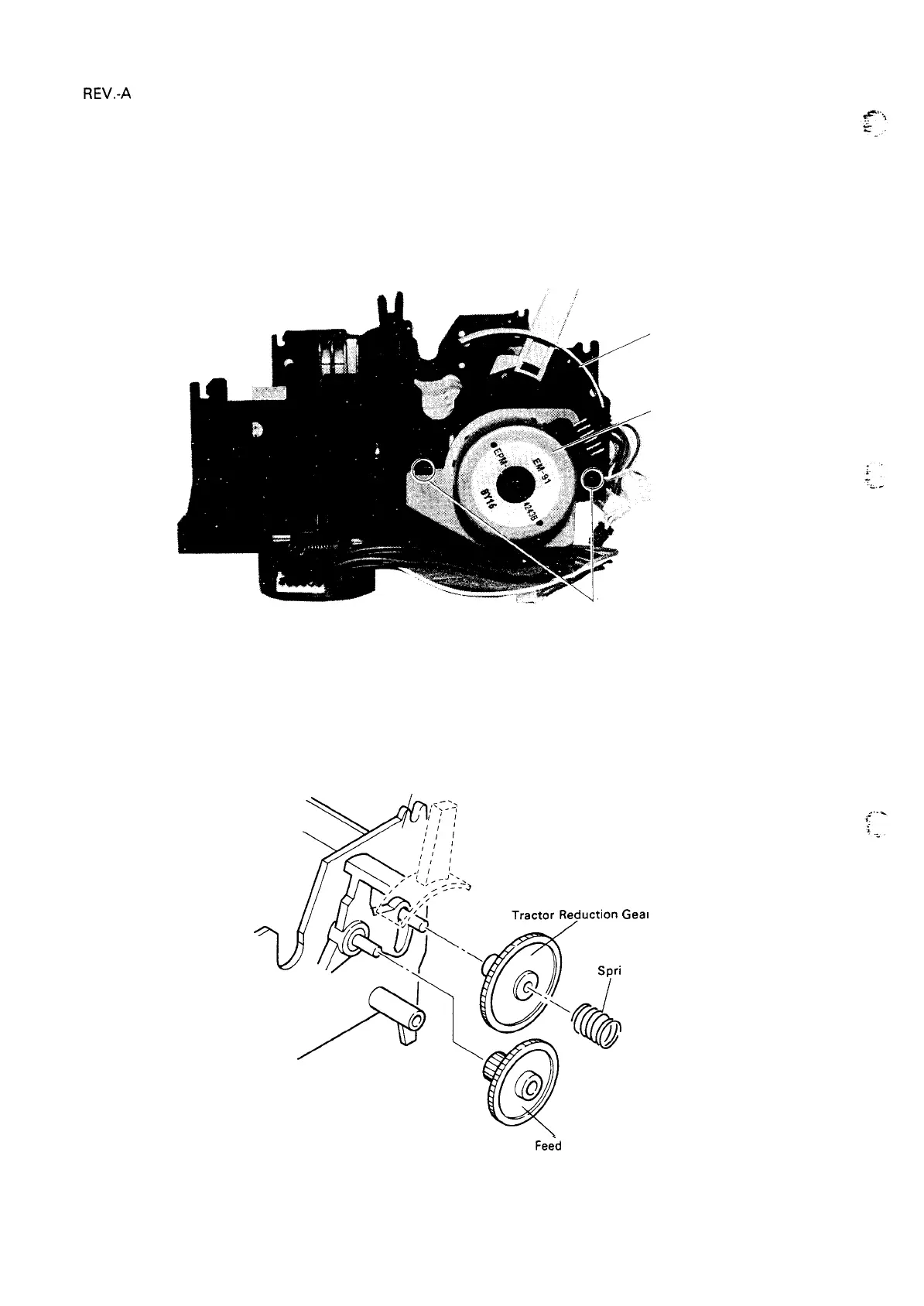
1.
Remove the printer mechanism (refer to Section 4.2.4).
2. Disconnect the motor cable from the paper-feed motor.
3. Loosen the two bent tabs on the frame which are securing the paper-feed motor, and remove the
paper-feed motor.
Bent tabs
Figure 4-21. Removal of Paper-Feed Motor
4. Remove the tractor reduction gear spring, the tractor reduction gear, and
gear.
Frame (R)
I
Geal
ng
Paper
Fe~d
Reduction
Figure 4-22. Spring and Gear Removal
Frame
Paper
(R)
feed Motor
the paper feed reduction
Gear
4-16



 To Next Page
 Loading...













