EasyManua.ls Logo

Epson LX-810 - Vertical Motion

Epson LX-810
313 pages
Print Icon
To Next Page IconTo Next Page
To Previous Page IconTo Previous Page
Loading...
Commands
A^rranged
by
Topic
Vertical
motion
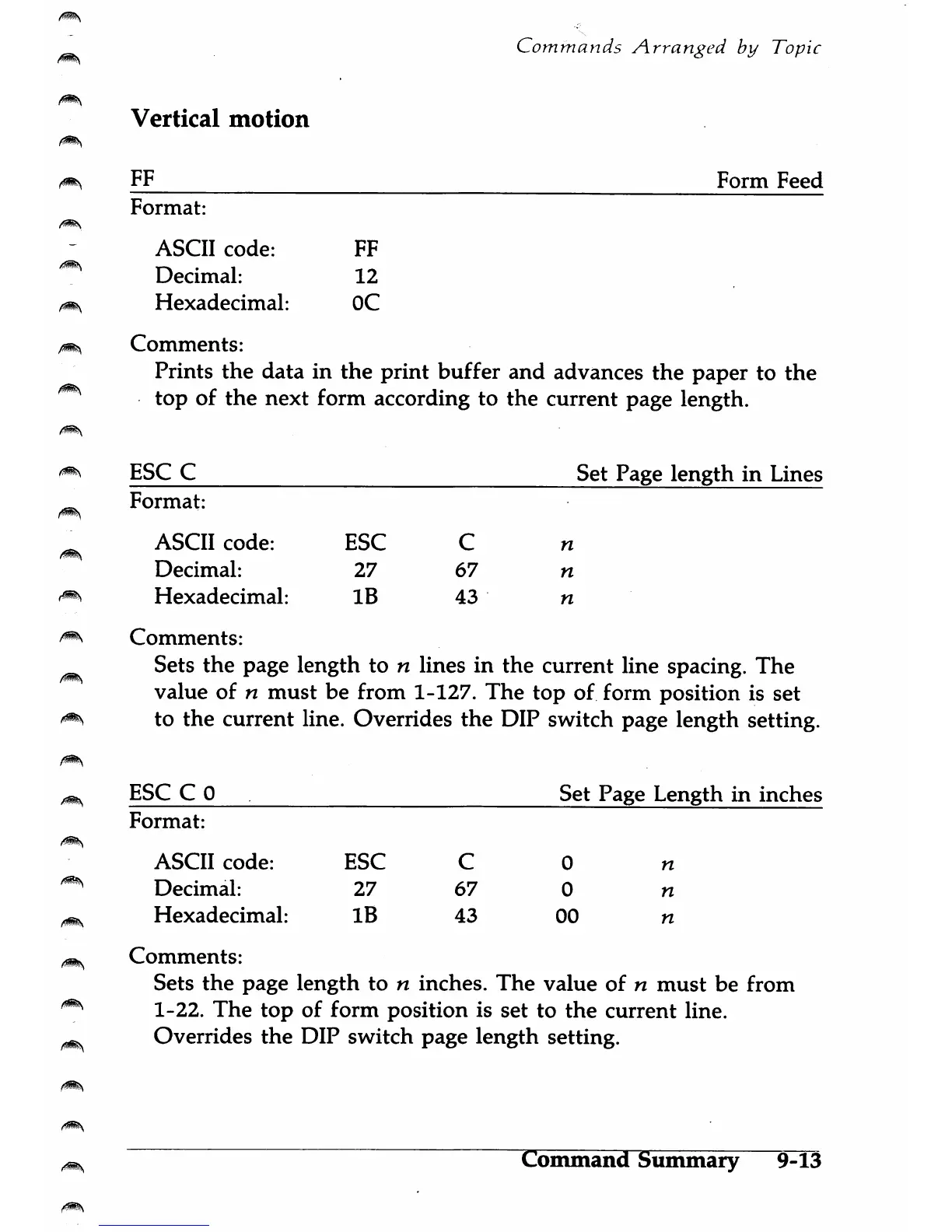
FF
Form
Feed
Format:
ASCII
code:
FF
Decimal:
12
Hexadecimal:
OC
Comments:
Prints
the
data
in
the
print
buffer
and
advances
the
paper
to
the
top
of
the
next
form
according
to
the
current
page
length.
BSC
C
Set
Page
length
in
Lines
Format:
ASCII
code:
BSC
C
n
Decimal:
27
67
n
Hexadecimal:
IB
43
n
Comments:
Sets
the
page
length
to
n
lines
in
the
current
line
spacing.
The
value
of
n
must
be
from
1-127.
The
top
of
form
position
is
set
to
the
current
line.
Overrides
the
DIP
switch
page
length
setting.
BSC
C
0
Set
Page
Length
in
inches
Format:
ASCII
code:
BSC
C
0
n
Decimal:
27
67
0
n
Hexadecimal:
IB
43
00
n
Comments:
Sets
the
page
length
to
n
inches.
The
value
of
n
must
be
from
1-22.
The
top
of
form
position
is
set
to
the
current
line.
Overrides
the
DIP
switch
page
length
setting.
Command
Summary
9-13

Table of Contents

Other manuals for Epson LX-810

Related product manuals