46
2
Adjust automatically or manually.
Normally, adjustments are performed automatically; however, if you know the thickness of the media, or if
you want to print at a specific height, you can adjust it manually.
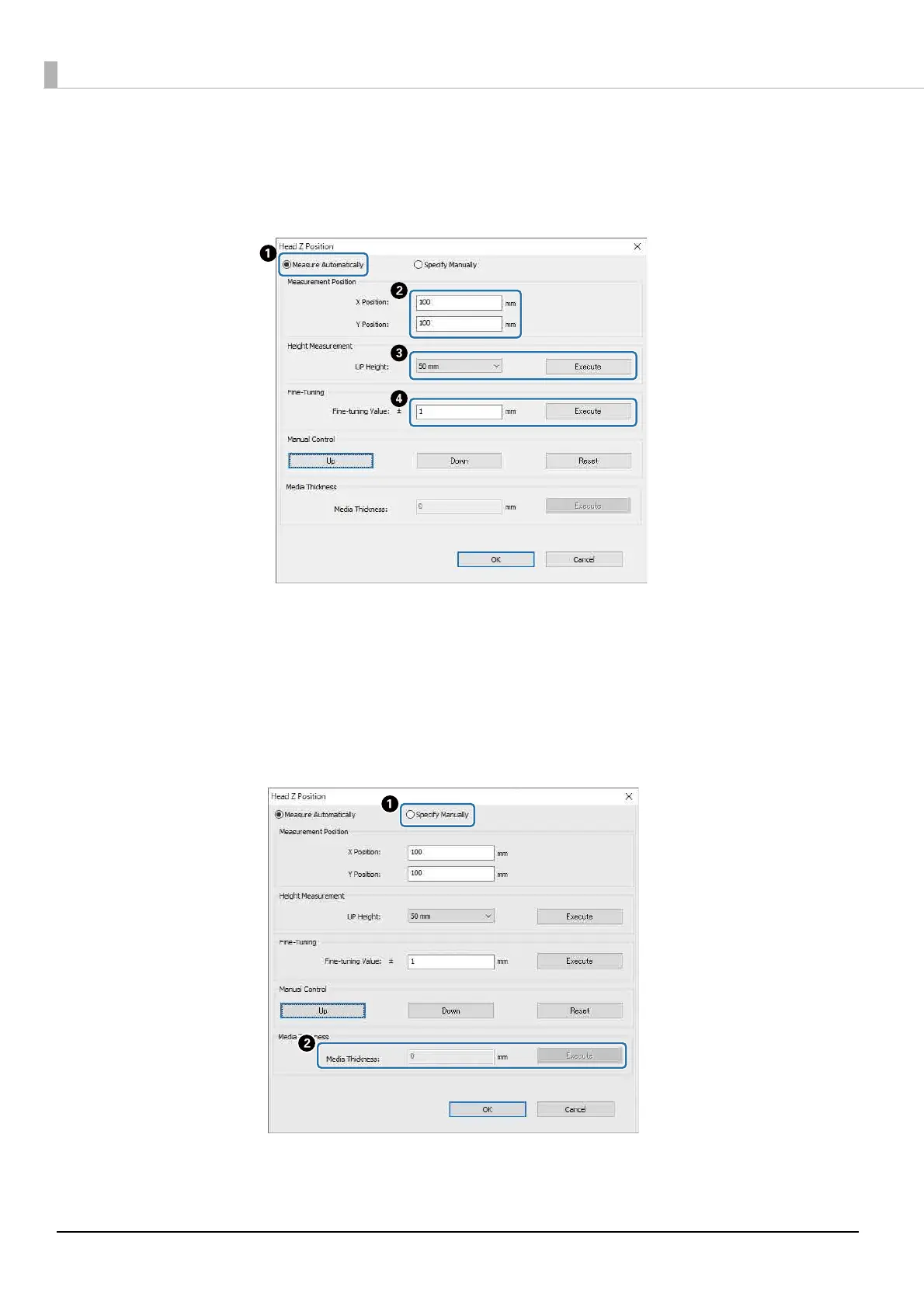
2-1 Adjust automatically
A
Select [Measure Automatically].
B
Specify the positions (X and Y positions) at which the measurement will be performed.
C
Specify the head height before performing measurements in [UP Height], and then press [Execute] to
measure the head height.
D
If you want to raise the height after adjustment, enter a value in [Fine-tuning Value], and then press
[Execute].
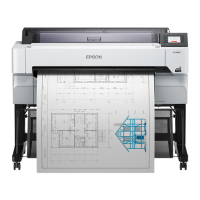
2-2 Adjust manually
A
Select [Specify Manually].
B
Enter a value in [Media Thickness], and then press [Execute].


 To Next Page