Equil
TM
Insulin Patch Pump System
95
13 General Settings
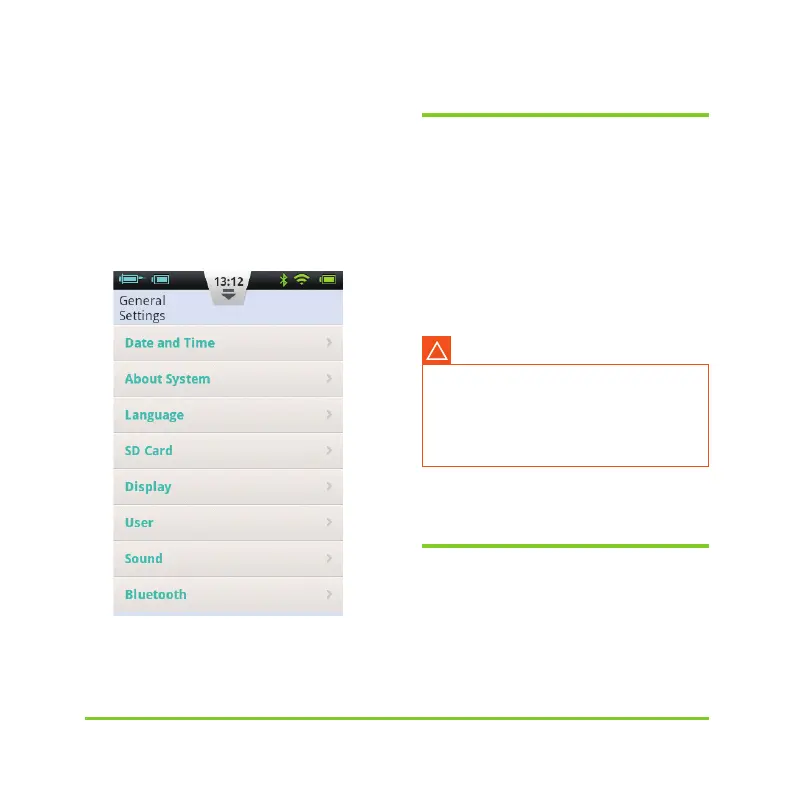
From the Home Screen, you can
navigate to General Settings by pressing
Settings and then General Settings (Figure
112).
Figure 112
13.1 Time and Date
a) Press the Date and Time option to open
the Date and Time settings.
b) Press the Date option to adjust the date.
c) Press the Time option to adjust the time.
d) 24-Hour Format: Check the box to have
the time displayed in 24 hour format, or
leave the box empty for 12 hour format.
13.2 About the System
From General Settings, choose About
System.
Execution of the basal rate time
periods and history records are directly
affected by the time and date settings.
Therapy must be suspended before
time and date settings can be modified.
Warning
!


 To Next Page