3736
Tip
A swap becomes eective when the co-driver
accepts the change.
4.3 Claiming unidentified driving time
The EROAD ELD automatically records driving time including
time frames when the driver did not log in. You can claim
unidentified driving time in two dierent ways, which are
described in the following subsections.
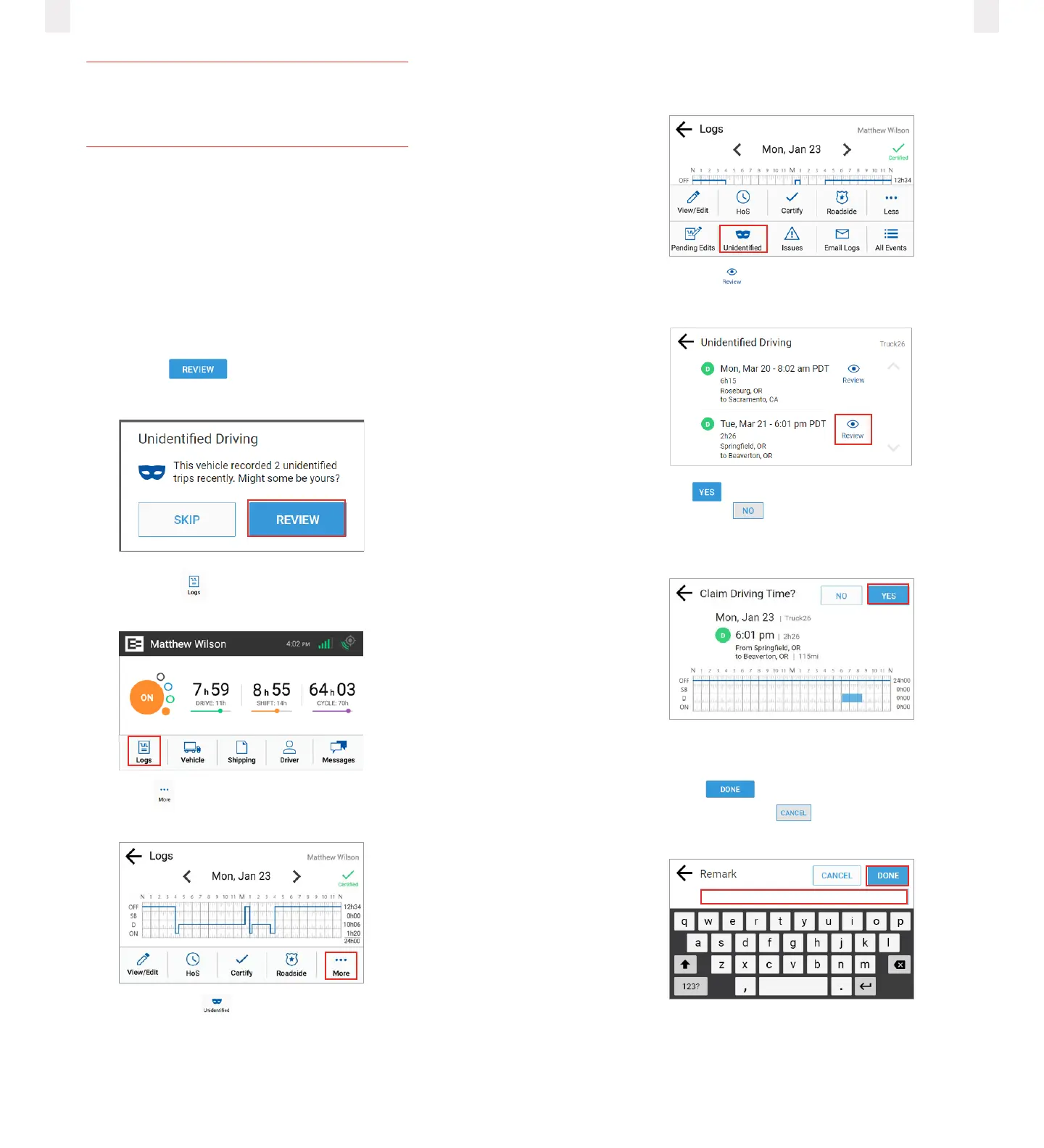
Claiming unidentified trips at login
The following prompt appears just after you log in if there are
unidentified trips.
1 Tap the Review button. The Unidentified Driving
message appears.
2 Tap the Logs icon on the Home screen. The Logs screen
appears.
3 Tap the More icon on the Logs screen. The Logs menu
expands to reveal a second row of menu options.
4 Tap the Unidentified icon. The Unidentified screen
displays the records that need to be claimed.
Note: An alert icon might appear on the Unidentified icon if
your supervisor assigned an unidentified trip to you.
5 Tap the Review icon to see details about the driving
time. The Claim Driving Time screen appears
6 Tap the Yes button to claim this driving time for your
logs or tap the No button if this time is not yours. The
Claim Driving Time screen updates the graph (highlighted in
blue) to display how your logs look after you claim this time.
7 Enter a detailed description in the Remarks field to explain
the event.
8 Tap the Done button to enter the remark in your
record or tap the Cancel button. A confirmation
message shows that this time is added to your logs.



 To Next Page