32
2 Driving Setup
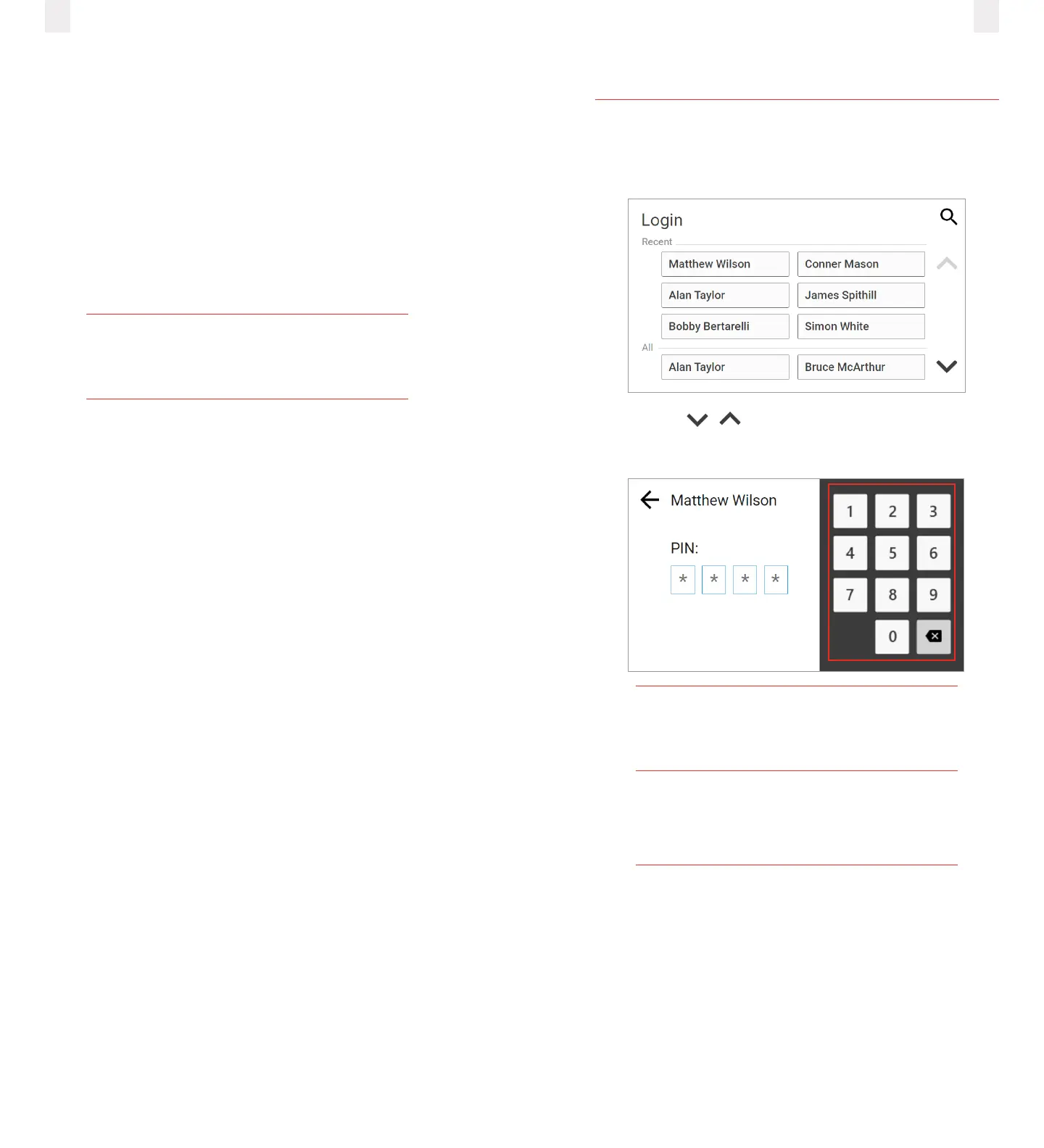
2.1 Logging into the ELD
1 Locate and tap your name on the Login screen.
2 Using the buttons, find and tap your name.
3 Enter your personal identification number (PIN).
Note
The scrolling feature is not available for
organizations with more than 2000 drivers.
The Welcome screen lists your special driving
categories. It might prompt you to review
unidentified trips, accept edits, or certify
yourlogs.
1.3 PIT Group verification
EROAD self-certified and registered its in-vehicle, tethered ELD
solution with the Federal Motor Carrier Safety Administration
(FMCSA) on their public registry: https://csa.fmcsa.dot.gov/
ELD/List in February 2017.
EROAD also conducted internal testing per the FMCSA’s test
procedures, which confirms that the EROAD ELD meets the
technical specification requirements of 49 CFR Part 395,
Subpart B and Appendix A.
EROAD is the first ELD provider to complete an independent
test and verification of our ELD solution by PIT Group.
Tip
The Glossary has a complete list of acronyms
and abbreviations used in this manual.



 To Next Page