98
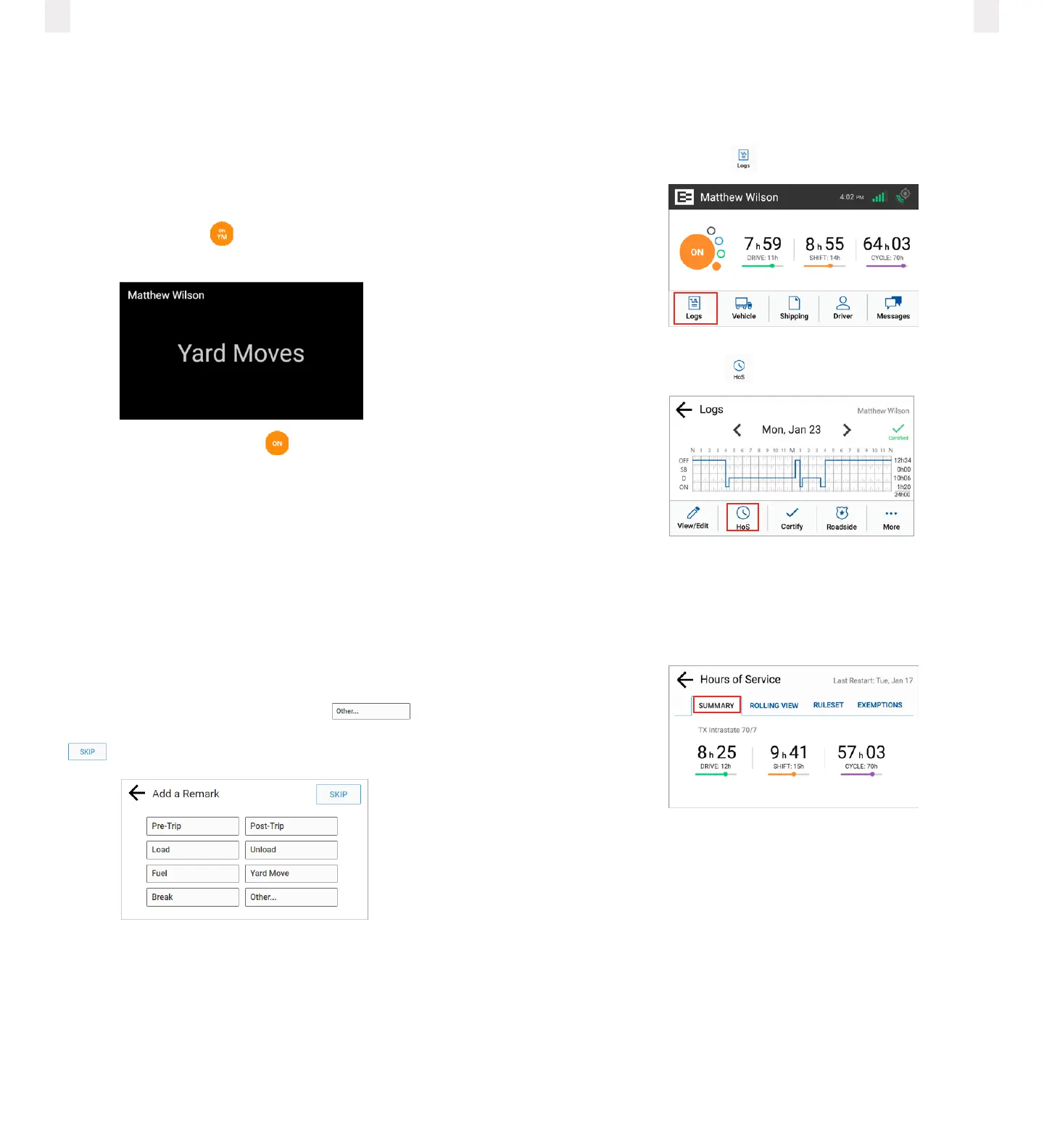
2.5 Yard Moves status
This is a special driving category that might be provided by
your carrier for moving material around a yard or via private
driveways. Add a remark in your logs when using this duty
status.
1 On the Home screen, tap the Duty Status circle. The Duty
Status menu appears. (See 2.4Changing your duty status.)
2 Tap the On Yard Move status. The Home screen appears
with the changed status.
Note: Your duty status is set to ON if the engine is powered
o while you are in the On Yard Move duty status.
The home screen changes to a dark background when you are
driving the vehicle.
2.6 Using quick remarks
Drivers can use the Quick Remarks feature on the EROAD ELD
when logging in and/or when changing duty status. The Quick
Remarks screen automatically appears after you select your
duty status.
Note: Using quick remarks does not change your duty status.
1 Tap the applicable quick remark button that applies to the
duty status you selected or tap the Other
button to add a remark not shown in the list. Tap the Skip
button if you prefer not to use the quick remarks.
Note: Certain status changes require a note: in these cases, the
Skip button may not appear.
2.7 Checking Hours of Service (HoS)
The EROAD ELD provides an electronic method for tracking
your HoS in your eorts to comply with federal and state
driving and duty-hour requirements. It helps ensure that you
are operating safely and eciently.
Users may tap the counters on the home screen to jump to the
HoS screen. The HoS screen provides four views – Summary,
Rolling View, Ruleset, and Exemptions. These views are
described in more detail in the following sections.
1 Tap the Logs icon on the Home screen menu.
2 Tap the HoS icon .
2.8 Summary
This tab section shows your driving window. The numbers will
vary, depending on the selected ruleset. The screen displays the
remaining time against each of these limits.
● Drive - Displays the remaining driving hours available in the
total driving limit for selected ruleset.
● Shift - Displays the remaining hours available in your ruleset-
specific shift window.
● Cycle - Displays the hours remaining in your work week,
based on the 60/70-hour duty limits.



 To Next Page