74
function outputs
12.2.2.2. Physical function outputs
Physical function outputs are actually present at the decoder outputs, where real
(by wires) consumers can be connected. Which outputs actually own the
individual decoder, is clearly illustrated in Table on page 36th
You can assign all available outputs in the function key assignment because
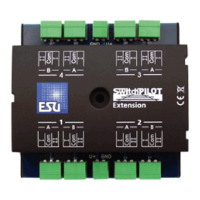
other outputs nen on external Zusatzplati- (eg ESU I / O expansion board) may
be present. These are fully integrated into the function key assignment. The
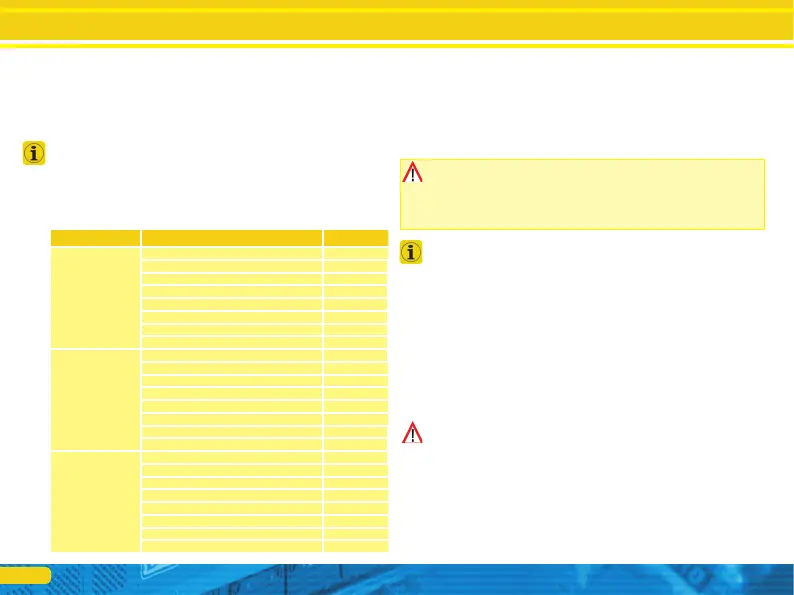
block for the physical mapping outputs of each row comprises three CVs. The
importance of these CVs is as follows:
Surname
description value
Control CV K
An output light Front [Conf. 1] 1
Output light back to [Conf. 1]
2
AUX1 On [Conf 1] 4
Output AUX2 On [Conf 1]
8th
At output AUX3 16
At output AUX4
32
An output AUX5 64
At output AUX6
128
Control CV L
At output AUX7 1
At output AUX8
2
At output AUX9 4
At output AUX10
8th
At output AUX11 16
At output AUX12
32
At output AUX13 64
At output AUX14
128
Control CV M output AUX15 On
1
At output AUX16
2
At output AUX17 4
At output AUX18
8th
An output light Front [Conf. 2] 16
Output light back to [Conf. 2]
32
AUX1 On [Conf 2.] 64
Output AUX2 [2. Conf] to
128
For each output you want to turn on, you have to add the appropriate value for
the controlling CV. Which CV must be written exactly please see again the
summary table on page 70. For the mapping line 1, these are for example the
CVs 257 (Control CV K) CV 258 (Contrl CV L) and CV 259 (Control CV M).
Note that this CV numbers were used dingungsblock even for the loading
(Control CV A, B, C), but on a different page (value of CV 16 is different) are
located. Always ensure that the correct value of CV 16 before writing!
The light outputs of the front and rear as well as the output AUX1 and AUX2 are
each present twice. These outputs kön- NEN assume two configurations
(configuration [1] and configuration of [2]). You can determine assignment by
pressing a key in the function key, which of the two Ausgangskonfiguratio- NEN
should be active. Thus, for example, featured a possible high beam. For more
information see the chapter 12.5.1.
12.2.2.3. logic functions
Under Logifunktionen functions are combined, the di- rectly or indirectly
"dynamic" also will influence behavior of the decoder. Often these functions are
effective only in conjunction with other settings.
Do not confuse logic functions with logic outputs. kausgänge logical are
physical function outputs, while logic functions are software-controlled additional
functions. The following functions are provided:
• Drive Hold: Makes the Gechwindigkeit constant. Controller changes only affect
the sound, not the real speed
• Clutch Waltz: The locomotive is automatically press and disarmament CKEN as
described in Section 12.5.7. shown.



 To Next Page