14
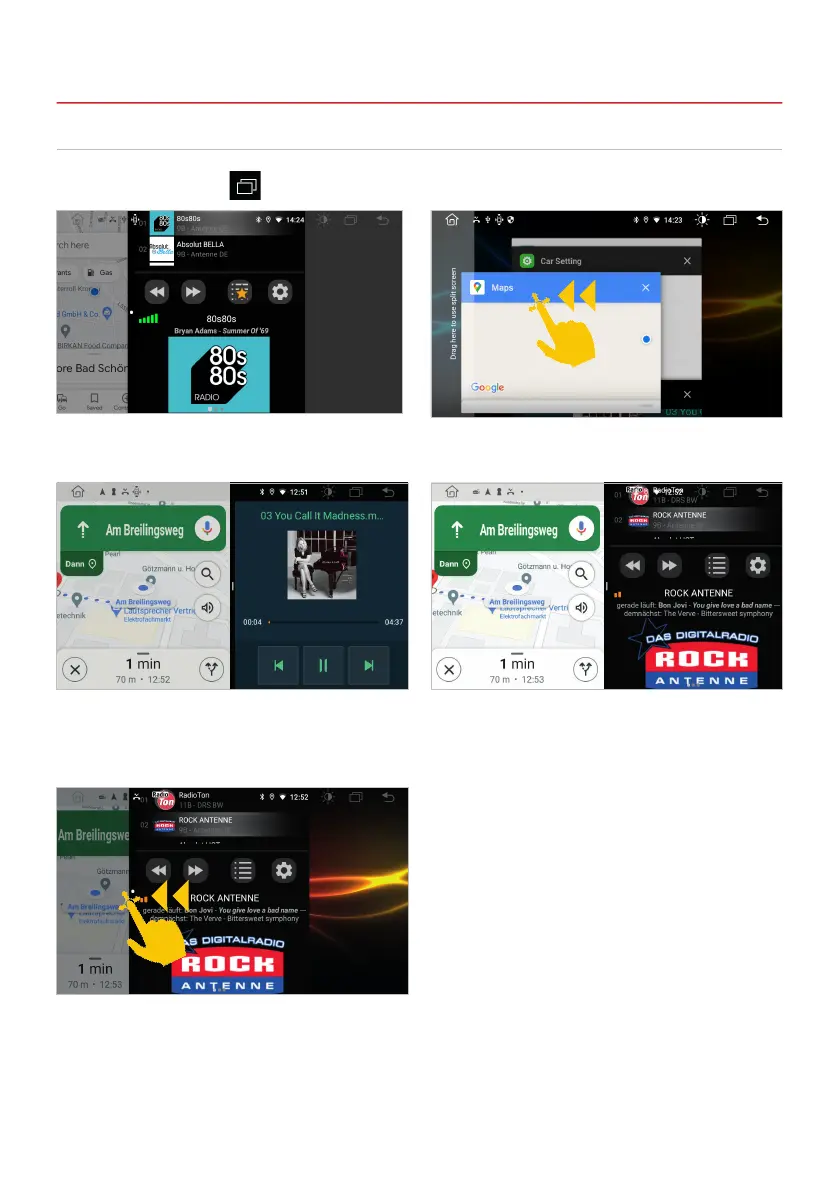
Tap in the status bar on
All currently used or recently used apps can be
seen in this selection.
The primary app is now always displayed on the
left. Now select an app for the right side (e.g.
audio player or DAB+ radio).
If you want to dissolve the split screen again, drag
the black frame in the center of the picture to the
left or right.
Select the app you want and slide the window all
the way to the left until it clicks into place.
The secondary app on the right can be changed
by starting another app in the main menu.
2.3 SPLIT SCREEN
Important note: Some apps are not suitable for display in split screen mode.
2. BASIC SETTINGS



 To Next Page