28
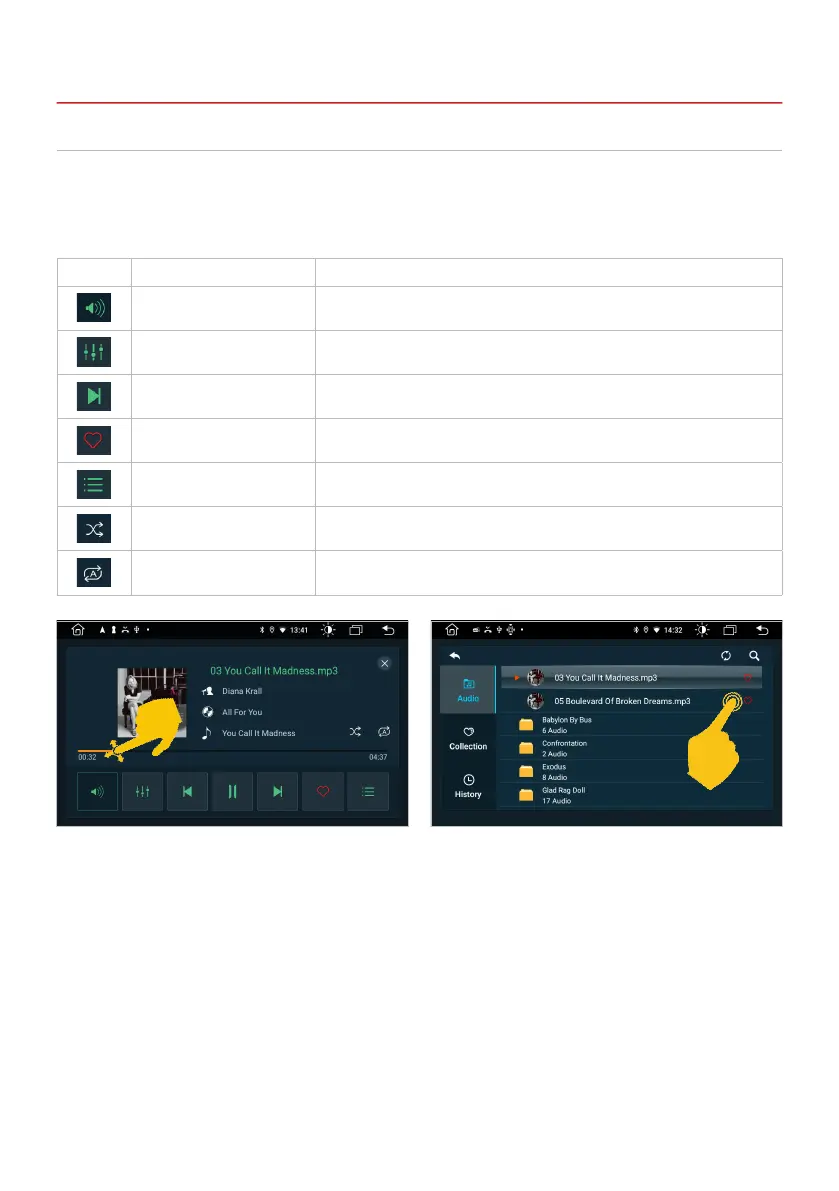
Tap on the Music app in the main menu to start the audio player.
The following formats are compatible: MP3 / AAC / FLAC / WAV / AMR / M4A / OGG
The audio player accesses all les that can be found either on the internal device memory or optionally
connected storage media (USB).
3.4 AUDIO PLAYER
3. INFOTAINMENT
If you switch to the main menu during playback,
the playback continues until you end it here or
start another media app.
Here you can see the playlist menu with the
available audio les, favorites and the history of
the tracks that have already been played.
Symbol Function Description
Volume Tap here to adjust the volume.
Audio settings Tap here to open the audio settings.
Control buttons Tap here to start or pause playback or to play the next or previous track.
Favorite Tap here to mark the current track as a favorite.
Playlist menu Tap here to open the playlist menu.
Random play Tap here to turn random play on or off.
Track repeat Tap here to start the track repeat.



 To Next Page