13
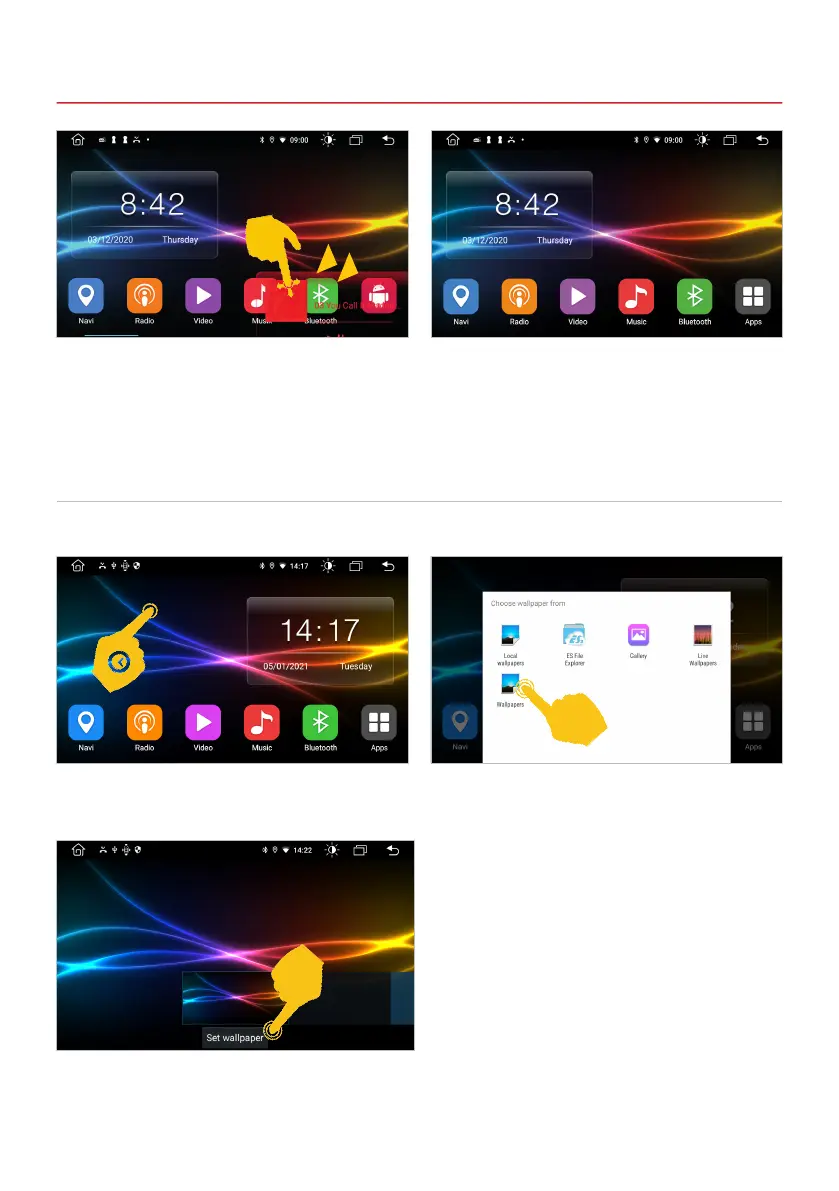
You have the option of changing the background of the ve main menus as you wish.
Tap a free eld on the main screen for about two
seconds.
For example, type on wallpapers.
Select the background image you want by tapping
Set wallpaper.
2. BASIC SETTINGS
2.2 BACKGROUND IMAGE
In order to place a new widget, the position must
rst be cleared again. To do this, drag the widget
to the bottom right.
The right side of the main menu is now freely
assignable again.
If you want to use your own background, it should
be in the format 1024 x 600 pixels and have a
sufciently high resolution. After you have copied
the le to the device, you can select it via the ES
File Explorer or the gallery (see above).



 To Next Page