29
3.5 VIDEO PLAYER
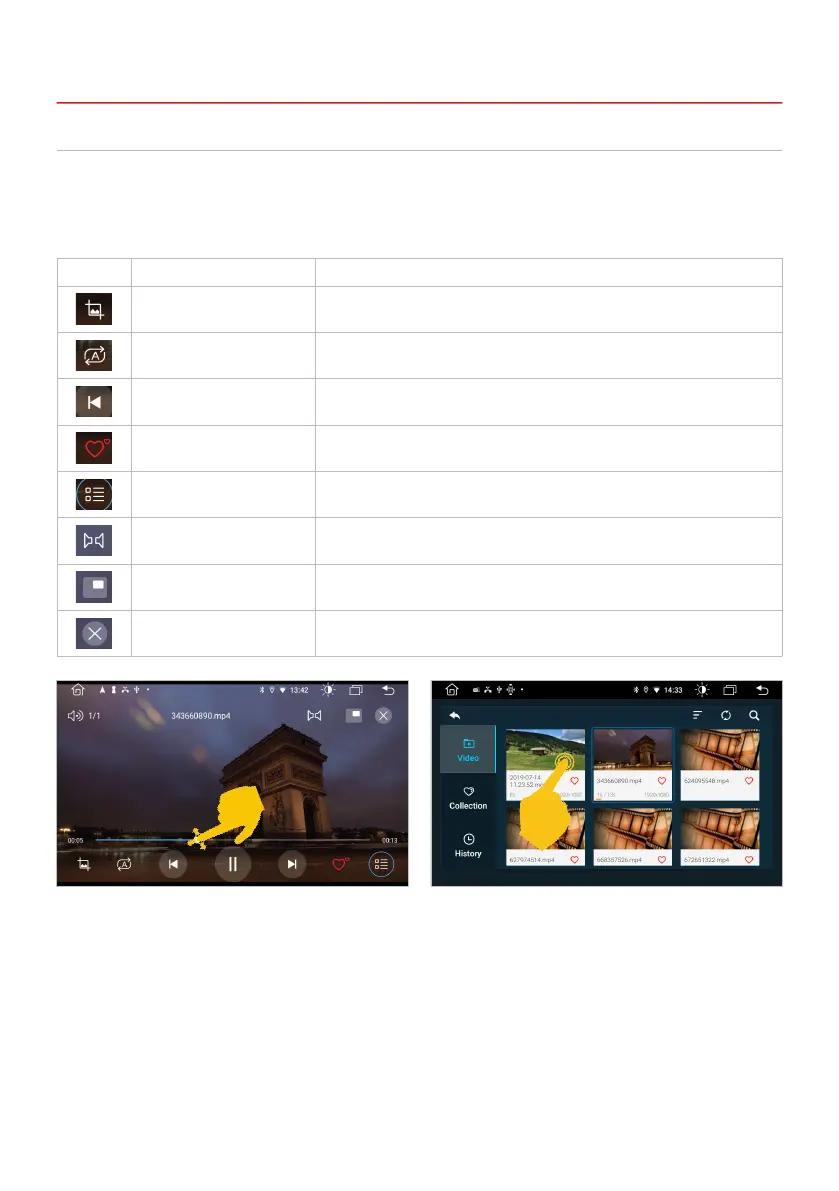
Tap on Video in the main menu to start the video player.
The following formats are compatible: MP4 / AVI / WMV / 3GP / FLV / SAF / MOV / MKV / MPG
Important note: While driving, the image signal of the video is not displayed for safety reasons.
3. INFOTAINMENT
If you switch to the main menu during playback,
the playback continues until you end it here or
start another media app.
Here you can see the playlist menu with the
available video les, the favorites and the history
of the titles that have already been played.
Symbol Function Description
Screen adjustment Tap here to change the format of the current video or to t it to the
screen.
Track repeat Tap here to start the track repeat.
Control buttons Tap here to start or pause playback or to play the next or previous track.
Favorite Tap here to mark the current track as a favorite.
Playlist menu Tap here to open the playlist menu.
Mono / stereo Tap here to switch between mono and stereo playback.
Original size Tap here to play the video in its original size.
End video Tap here to stop playing the video.



 To Next Page