10
2. BASIC SETTINGS
2.1 CUSTOMIZED MAIN MENU
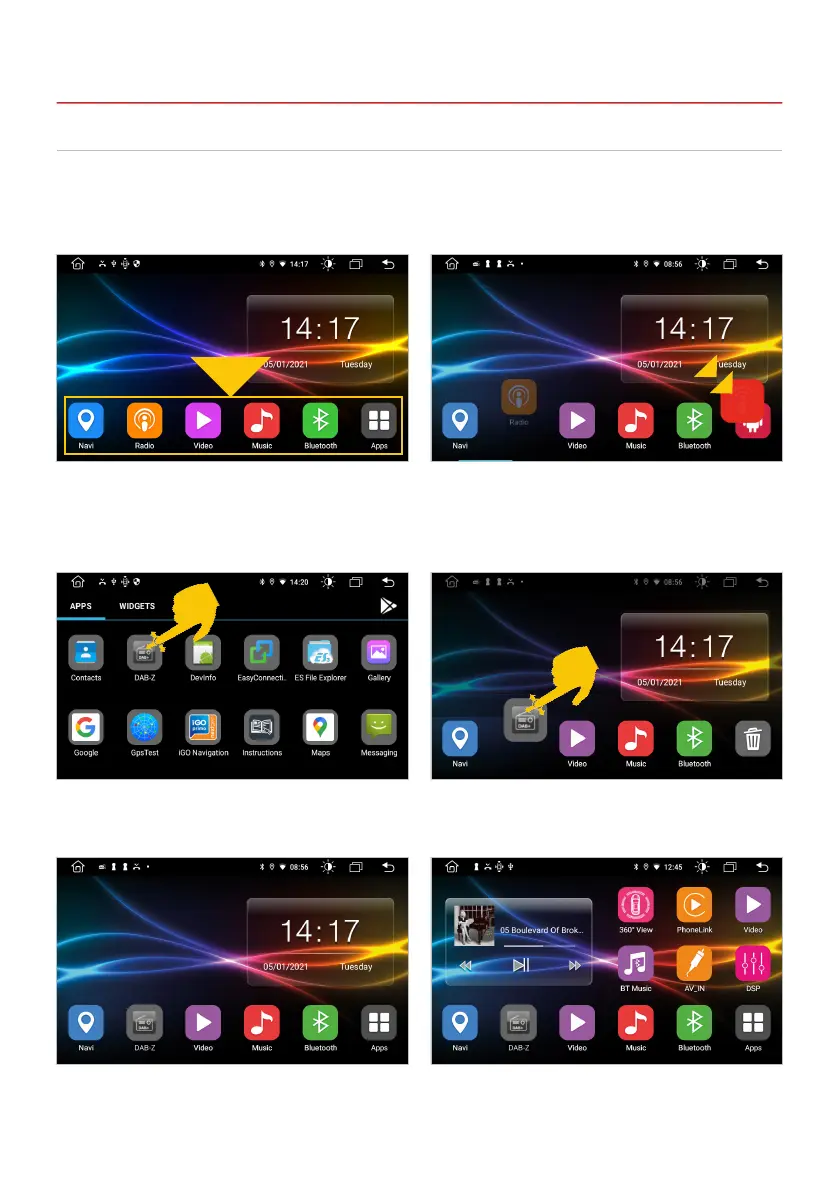
Then drag e.g. the DAB-Z app to the front.
The app is now in the basic app bar. It will now appear on every main menu.
Then place it in the free space.
BASIC APPS IN THE MAIN MENUS
In each of the ve main menus there are six basic apps at the bottom, which you can freely dene. To
move or delete an app, press and hold it and drag the app to another location or move the app to the
trash.
Basic apps in the main menu. To be able to place a new basic app, you must
rst create space for it. For example, pull the
radio app to the bottom right.



 To Next Page