11
2. BASIC SETTINGS
WIDGETS IN THE MAIN MENU
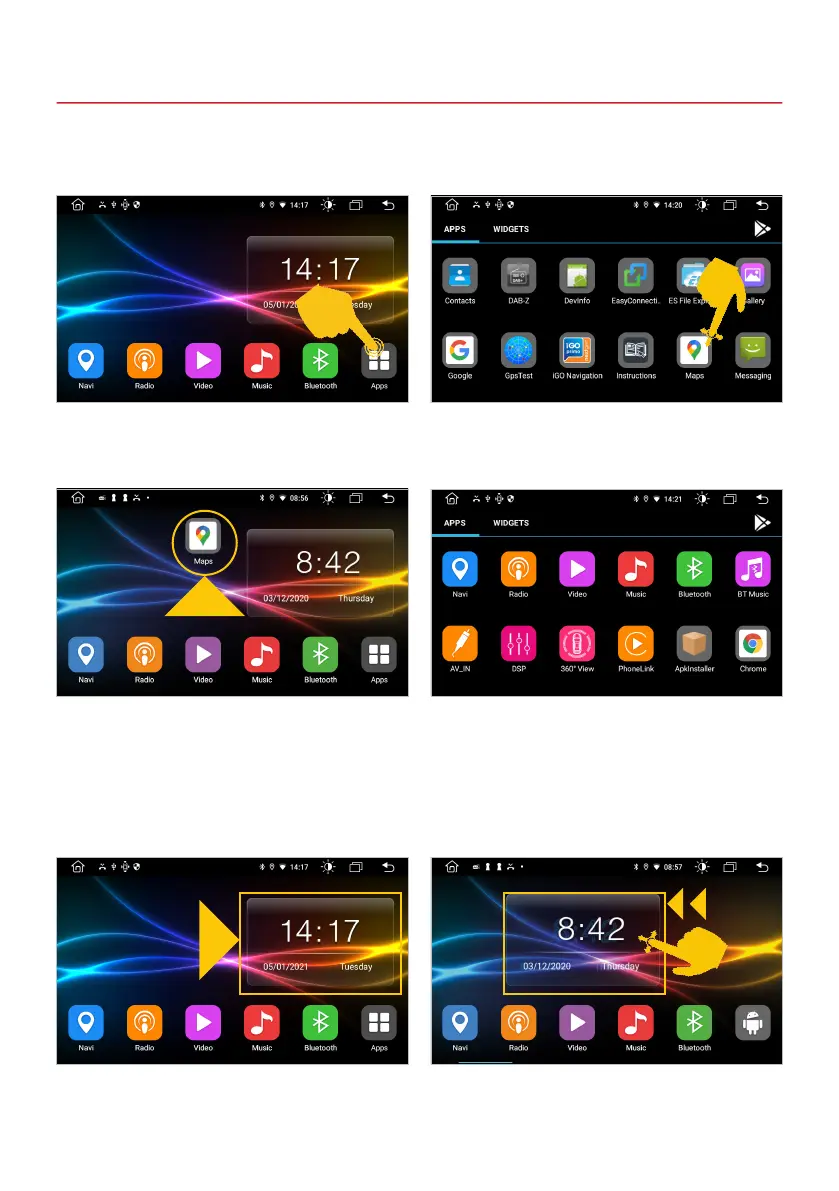
Widgets are graphic windows that display, for example, the date and time. In the standard main menu
there is initially a widget which you can move to the left if necessary.
Standard main menu. Slide the widget to the left.
APPS IN THE MAIN MENUS
You can freely move any app or widget to the main panel of any main menu. In total, you can assign all
ve main menus to suit your needs.
Place the app on the main control panel in one of
the main menus.
For example, pull Maps forward. You can access
more apps by swiping left.
The apps are displayed in alphabetical order in
the app menu. You start an app by tapping on the
respective symbol.
Tap on Apps in the lower right.



 To Next Page