24
Press the Radio button on the device or tap Radio in the main menu to open the Radio menu.
3.1 RADIO
3. INFOTAINMENT
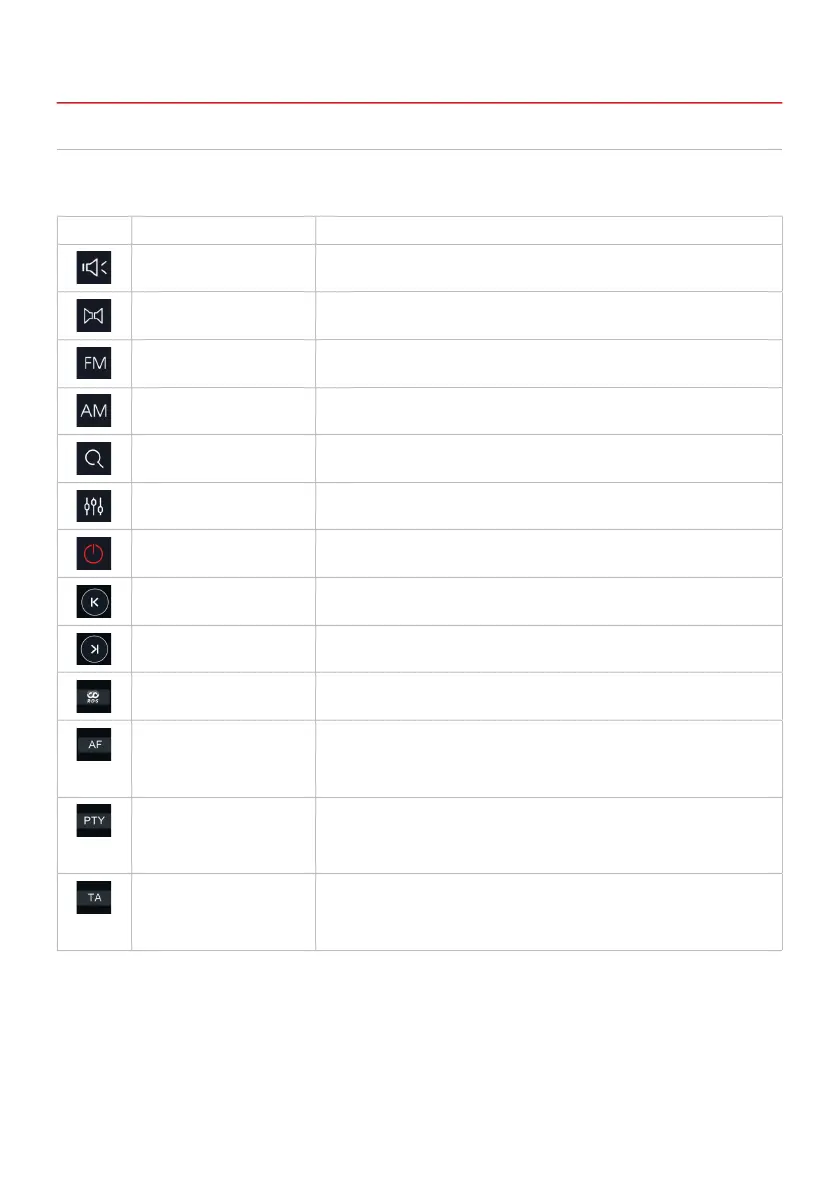
Symbol Function Description
Volume Tap here to adjust the volume.
Mono-/Stereo Operation Tap here to switch between mono and stereo operation. With weak
stations, the reception quality usually improves in mono mode.
FM Tap here to switch to the FM frequency band.
AM Tap here to switch to the AM frequency band.
Station search Tap here to automatically search for and save all radio stations in the
reception area.
Audio settings Tap here to open the audio settings.
Radio OFF Tap here to turn off the radio. The device then switches back to the main
menu.
Next station down Tap here to search for the next strong and clear station frequency band
downwards.
Next station up Tap here to search for the next strong and clear station frequency band
upwards.
RDS Tap here to show the RDS options.
AF Click AF to activate the AF function. This function enables automatic
switching when leaving the reception area of an RDS radio station. The
device automatically switches to another frequency if the same program
is also available in a different reception area.
PTY The PTY function is a classication of radio stations in different catego-
ries. Every program on an RDS radio station is categorized. After you
have selected a category, the device automatically searches for the next
suitable radio station in this category.
TA Click TA to activate the TA function. This function enables the interrup-
tion of media playback (audio player, media connect, etc.) for trafc
announcements. After the announcement, the previous media playback
starts again.



 To Next Page