18
2.7 DSP / AUDIO SETTINGS
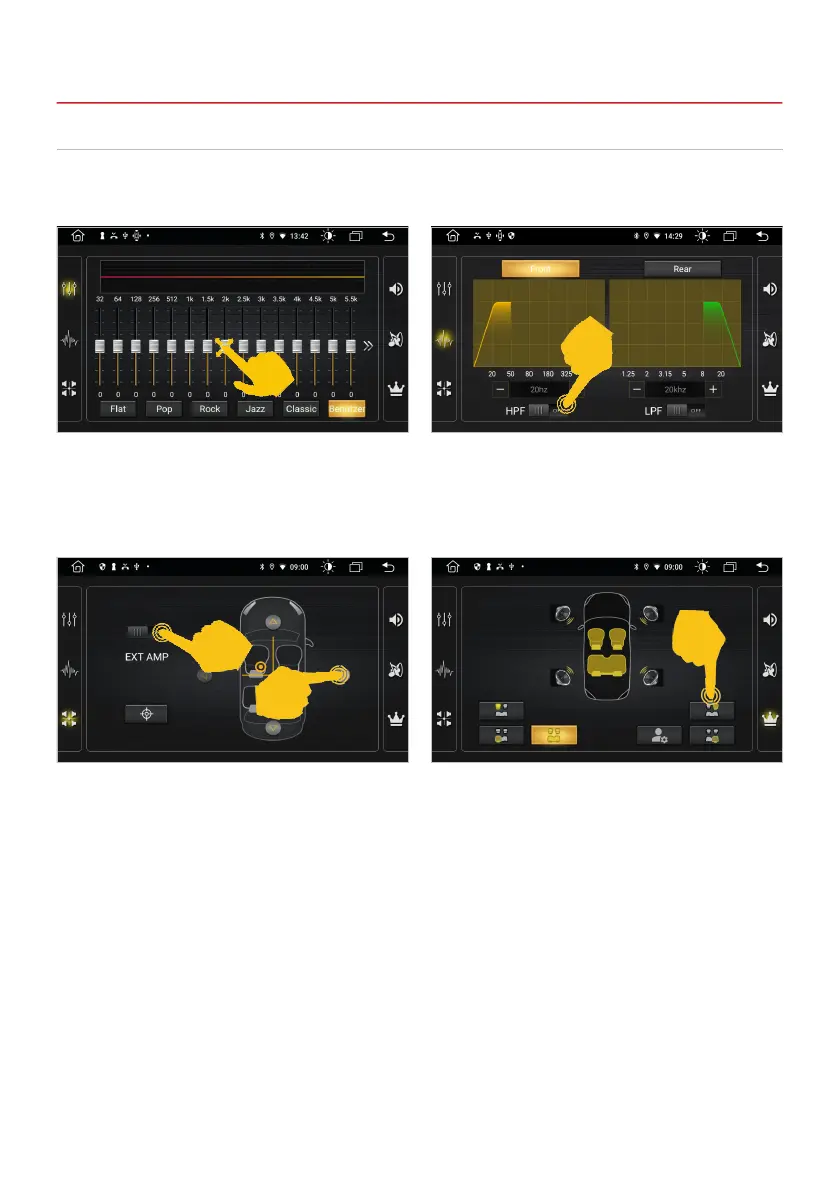
Tap DSP in the app menu. Depending on the app, the audio settings are also located in the respective
app menus, such as in the radio or music app.
Here you can select different equalizer presets or
change the EQ controls directly as you wish.
In this menu you can adjust the balance between
the right and left speakers and the fading between
the front and rear speakers. To do this, press the
arrow buttons to set the desired position.
If you are using an external audio amplier, slide
the EXT AMP switch to the ON position.
On the right side there are further menus for
advanced audio settings.
In this menu you can activate a high and / or low
pass lter for the audio signal. Set the respective
switch to the ON position and select the desired
crossover frequency.
2. BASIC SETTINGS



 To Next Page