33
Visit www.esxnavi.de regularly or ask your specialist dealer whether update les are available for your
device. Then follow the installation instructions that come with the update.
After you have decompressed the downloaded update, copy the les to a USB stick. Insert the USB
stick into the device.
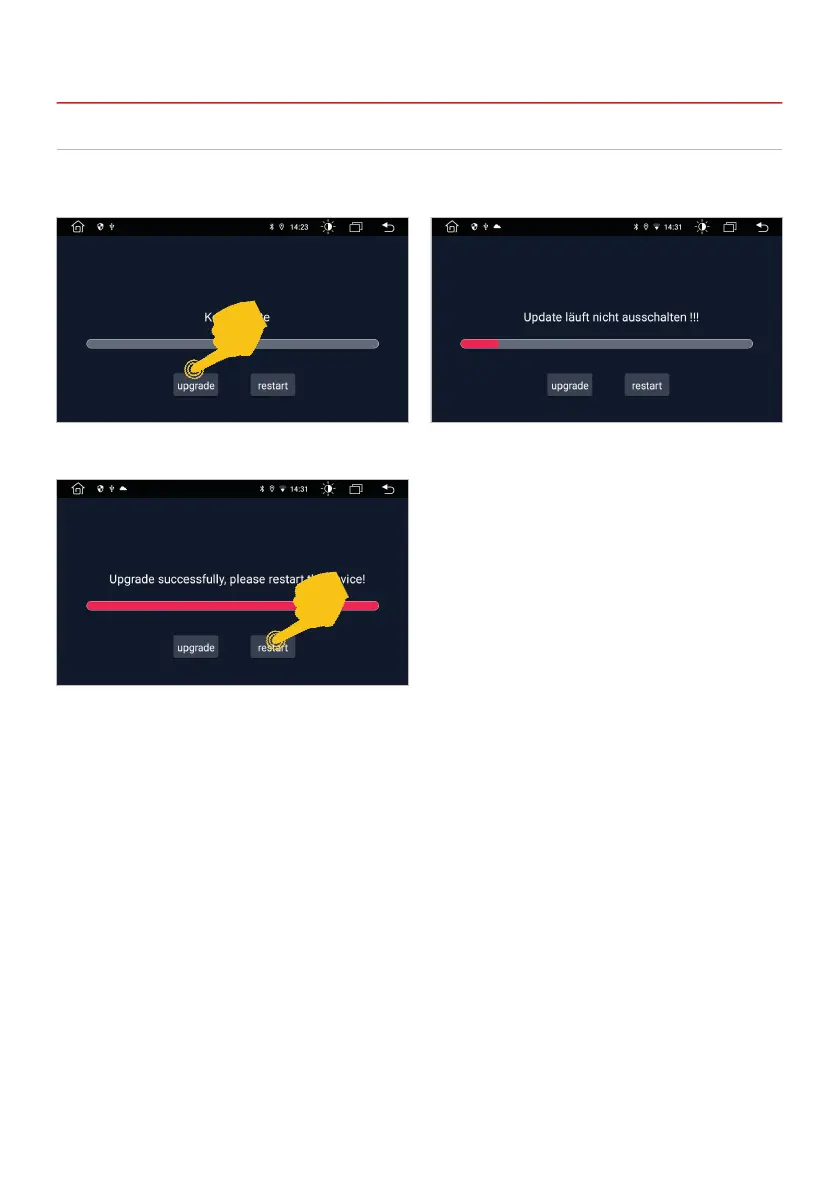
In the following dialog, tap upgrade.
After the process is complete, tap restart to restart
the device.
The update process starts.
Important note: Please do not switch off the device during the update process.
4.1 MCU / SYSTEM UPDATES
4. UPDATES



 To Next Page