20
2. BASIC SETTINGS
If you have connected a compatible rear view camera to the camera input of the device, the camera
image is automatically displayed when you engage reverse gear. This view is also shown when the
camera direct button is pressed.
Important note: If no camera is connected, this view shows “No Signal”.
2.9 REAR VIEW CAMERA
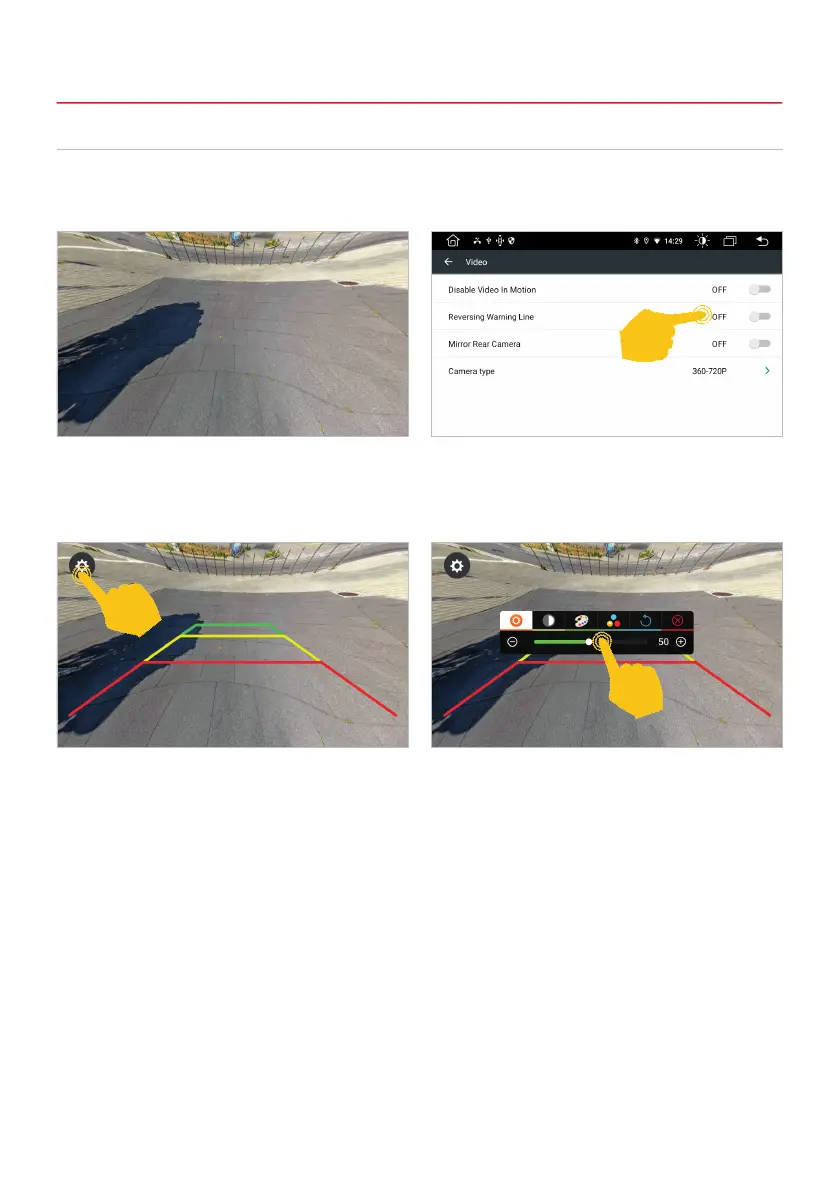
If your rear-view camera does not have dynamic
warning lines, you can use the device’s static
parking lines.
When you tap the display, a gear symbol appears
in the top left. Tap it to open the camera view
settings.
In Settings, open the Auto Settings menu, then
tap Video. Activate the warning lines or mirror the
camera image there.
Here you can make various settings according to
your requirements. Exit the settings with the red X.



 To Next Page