12
2. BASIC SETTINGS
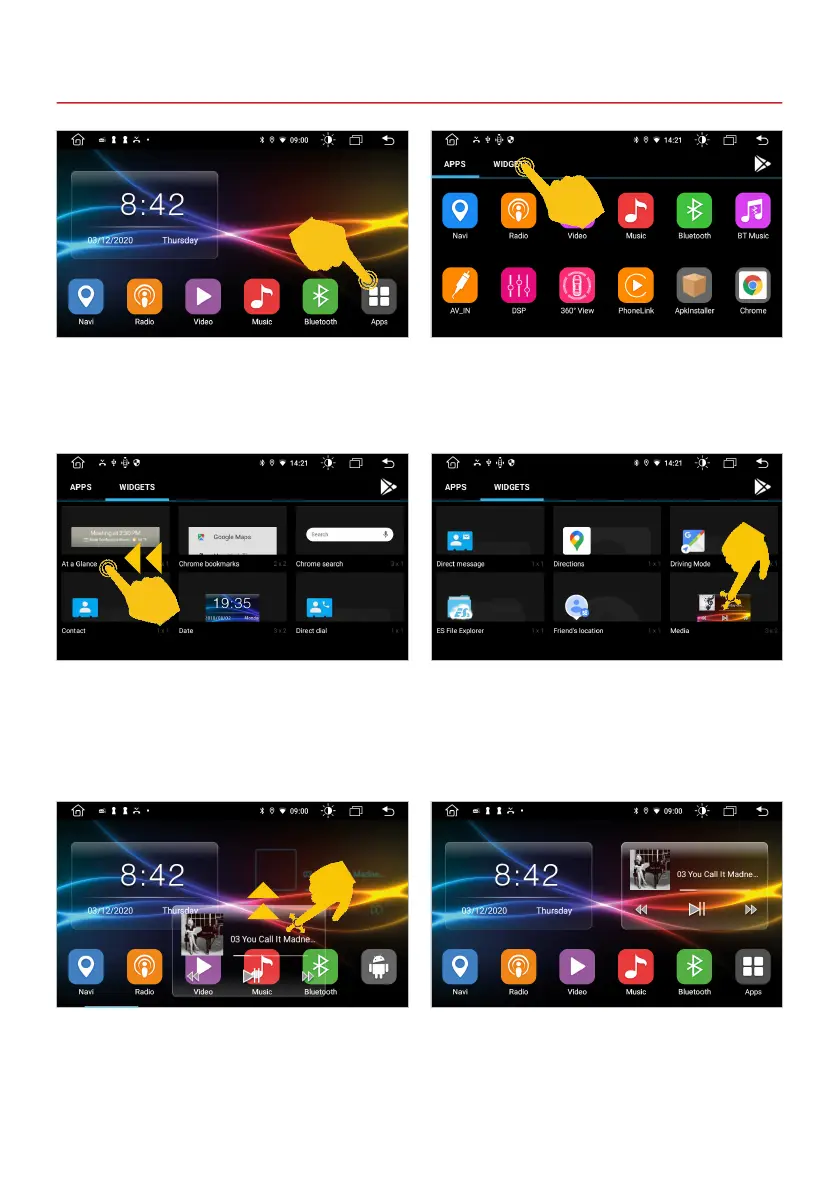
To place another widget in the free space, tap
Apps in the lower right corner.
Tap on WIDGETS in the app menu,
To select the Media widget, swipe left to view the
next page of the menu.
Drag the widget you want upwards.
Place the Media widget in the free space on the
right.
The media currently being played are now shown
on the right-hand side of the main menu, including
the control buttons, e.g. the audio player or the
radio app.



 To Next Page