27
3. INFOTAINMENT
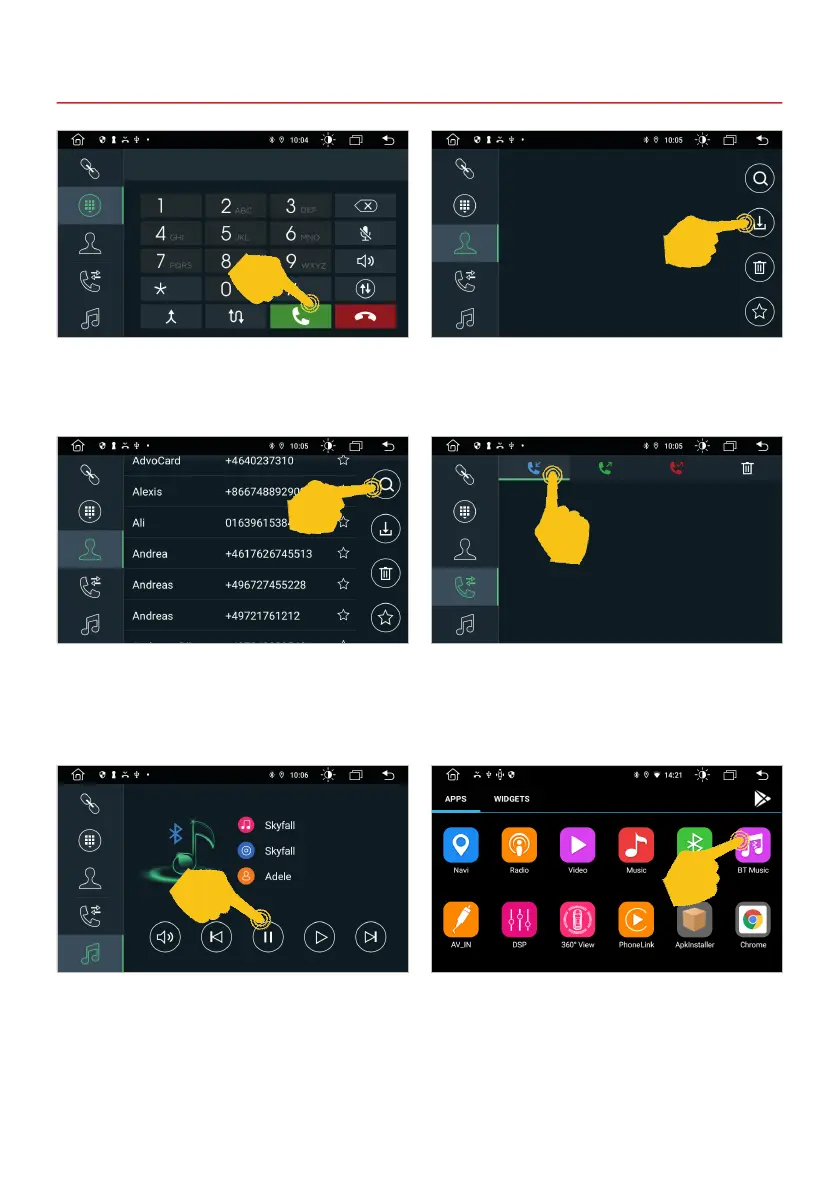
In the Keypad menu you can enter a number
directly and start the call with the green button.
End the call with the red button.
The Contacts menu is initially empty. In the
top right, tap the download icon to import your
smartphone’s contacts.
After you have imported your contacts, you can
search for contacts, delete them or mark them as
favorites.
In the BT Music menu you can use the control
buttons below to stream music from your
smartphone to the ESX device.
You can also start BT Music directly from the app
menu.
In the Call lists menu at the top you can choose
between outgoing, received and missed calls.
This list only shows the calls that were made via
the ESX device.
Important note: Some mobile phones require their music player to be started in order to use this
function.



 To Next Page