ES581.4 - User’s Guide 23
ETAS Getting Started
3.2.2 Uninstalling the ES581.4 USB Drivers
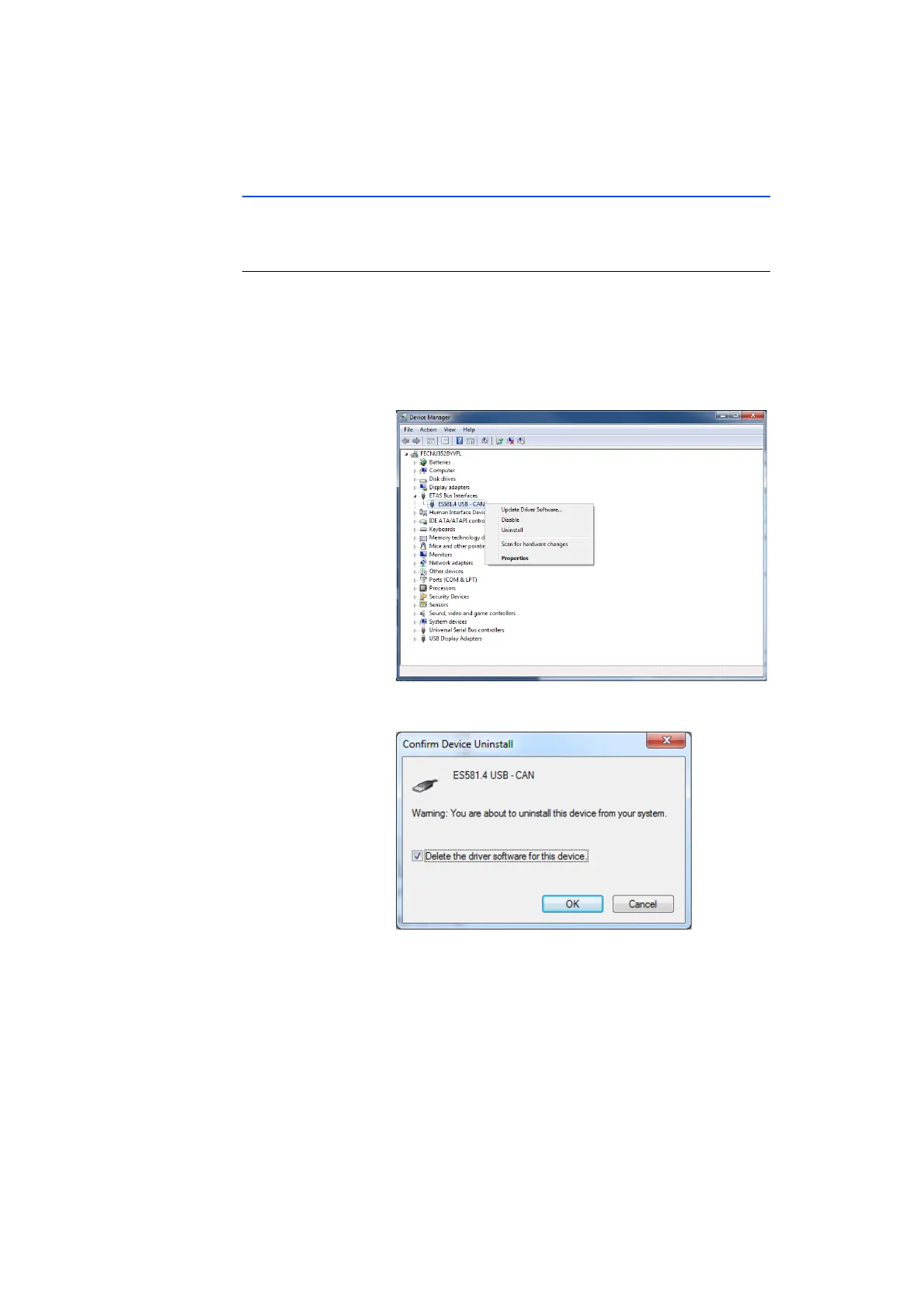
The USB driver for the ES581.4 can be uninstalled in the Device Manager of
Windows.
Uninstalling the ES581.4 USB driver:
• Select Start Control Panel Device Manager
to start the Windows Device Manager.
The Device Manager window opens.
• Under ETAS Bus Interfaces, select the entry
ES581.4 USB - CAN
• Right-click and select Uninstall.
• Select Delete the driver software for this device
and click on OK.
The system uninstalls the USB drivers for ES581.4.



 To Next Page