ES581.4 - User’s Guide 27
ETAS Getting Started
3.4 Verifying the Installation of the USB Driver
In the Windows Device Manager, you can check which hardware drivers are
installed and which status they have.
Verifying the USB driver installation:
• Select Start Control Panel Deice Manager
to start the Device Manager of Windows.
The Device Manager window opens.
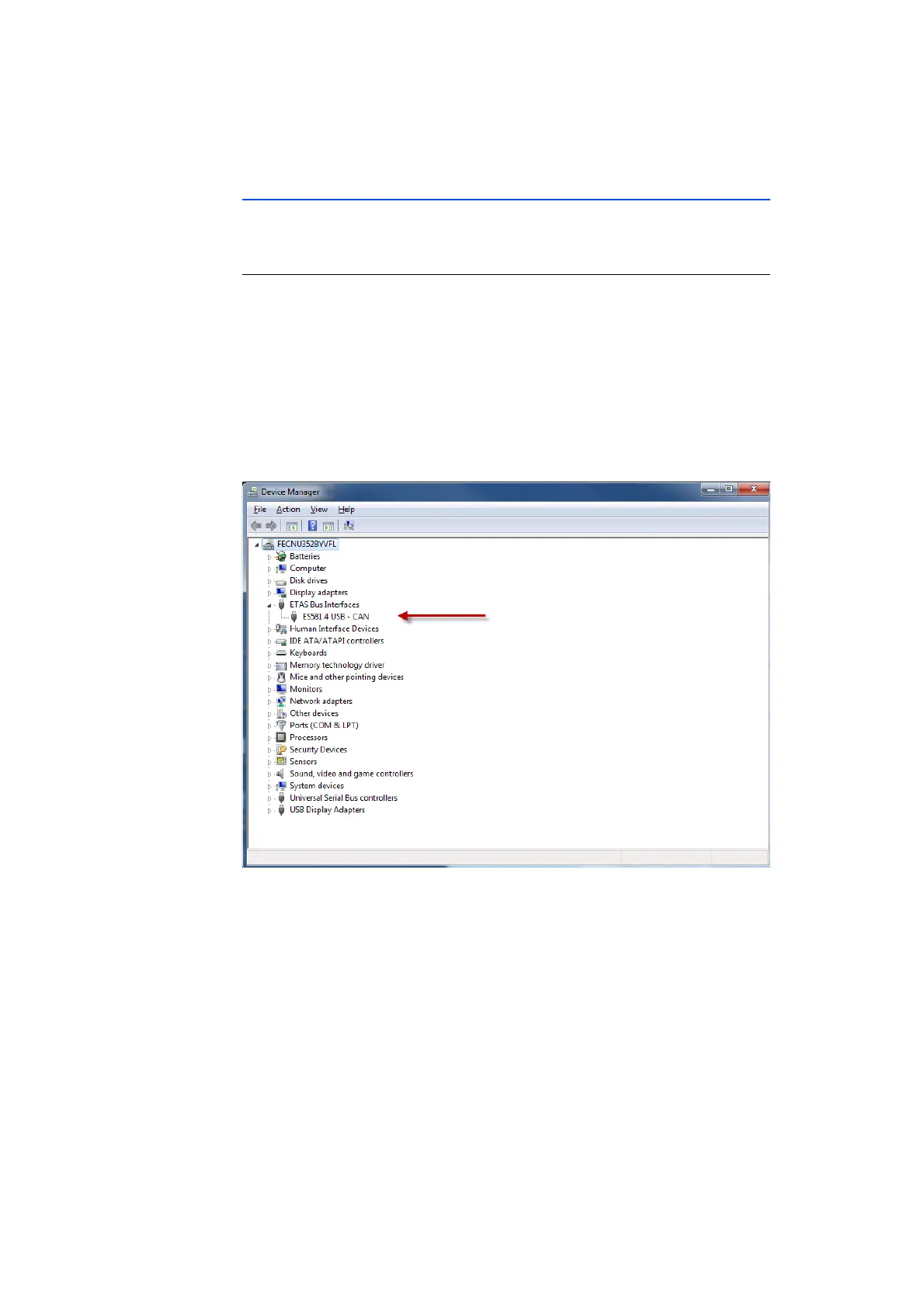
• Select ETAS Bus Interfaces.
• Verify that the ES581.4 module features the new
entry ES581.4 USB - CAN.
The figure below identifies the entry with a red
arrow.
Fig. 3-1 Windows Device Manager
If the ES581.4 drivers are not properly installed/ uinstalled and Windows detects
the device as plugged in, an exclamatory icon will appear next to the device. Run
the Driver Install application again to try and fix this problem.



 To Next Page