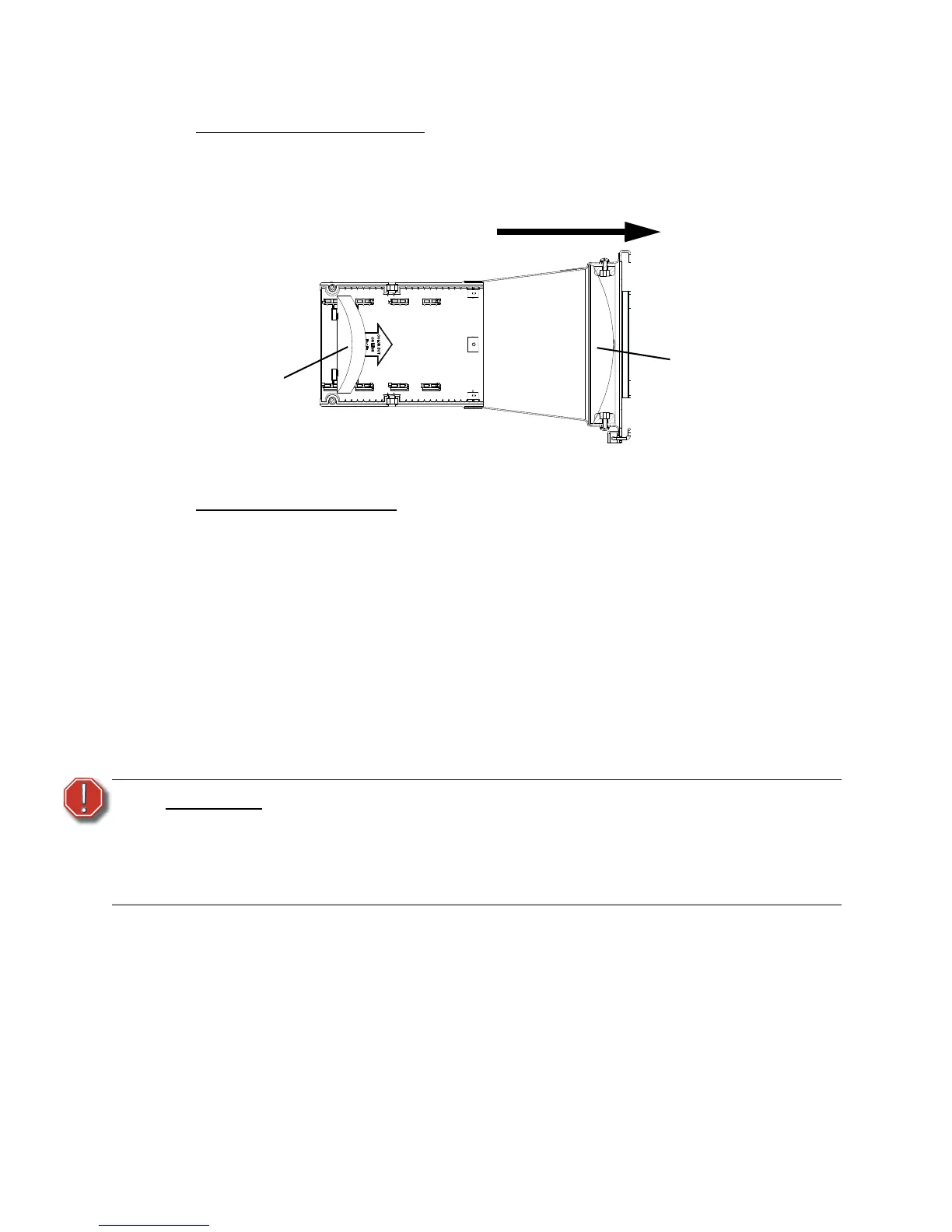
Lens Tube - 14° 23
Assembling lens tube - 14°
Lens Markings and Positions
The lenses are color-coded for identification. The rear lens has two brown dots and the front
lens has one brown dot. The lens positions are color-coded within the lens casting to match
the colored dots on the lenses (see Figure 22).
Assembling the lens tube
Tools Required:
• #2 Phillips head screwdriver
Step 1: Place lens tube assembly face up on your work surface.
Step 2: Install Install the eight bushing guides (11). Point the narrow tab on the bottom
toward the back of housing; point the square tab toward the front. Squeeze the
guides slightly so they end inthe middle, then snap into place. Make sure the
rounded side of the guide faces outward from the tube.
Step 3: Install the front lens (2) in the tube using required bumpers (7), screws (9), nuts
(8), and washers (10) as shown in Figure 21. Colored dot on lens should face
towards the front.
Cleaning glass lenses - 14°
Step 1: Remove dust with a blast of oil-free air or wipe with a clean, lint-free cloth.
Isopropyl alcohol, distilled water or a 50%-50% mixture of each can be used to
clean the glass surface.
Step 2: If necessary, remove the front lens to access the front surface of the rear lens for
cleaning. Remove the four screws (9), nuts (8), washers (10) and bumpers (7)
and gently left out front lens as shown in Figure 21. Reassemble in reverse order.
WARNING:
Do not use ammonia-based or other harsh commercial cleaners. Clean lens
only as directed.
Commercially available glass cleaning agents should be avoided as they
may contain ammonia, other harsh chemical detergents or abrasive agents.
These cleaners may damage the glass surface and the Anti-Reflective
coatings. Do not immerse or soak the glass in any cleaning solution.


 To Next Page