6 Source Four Assembly Guide
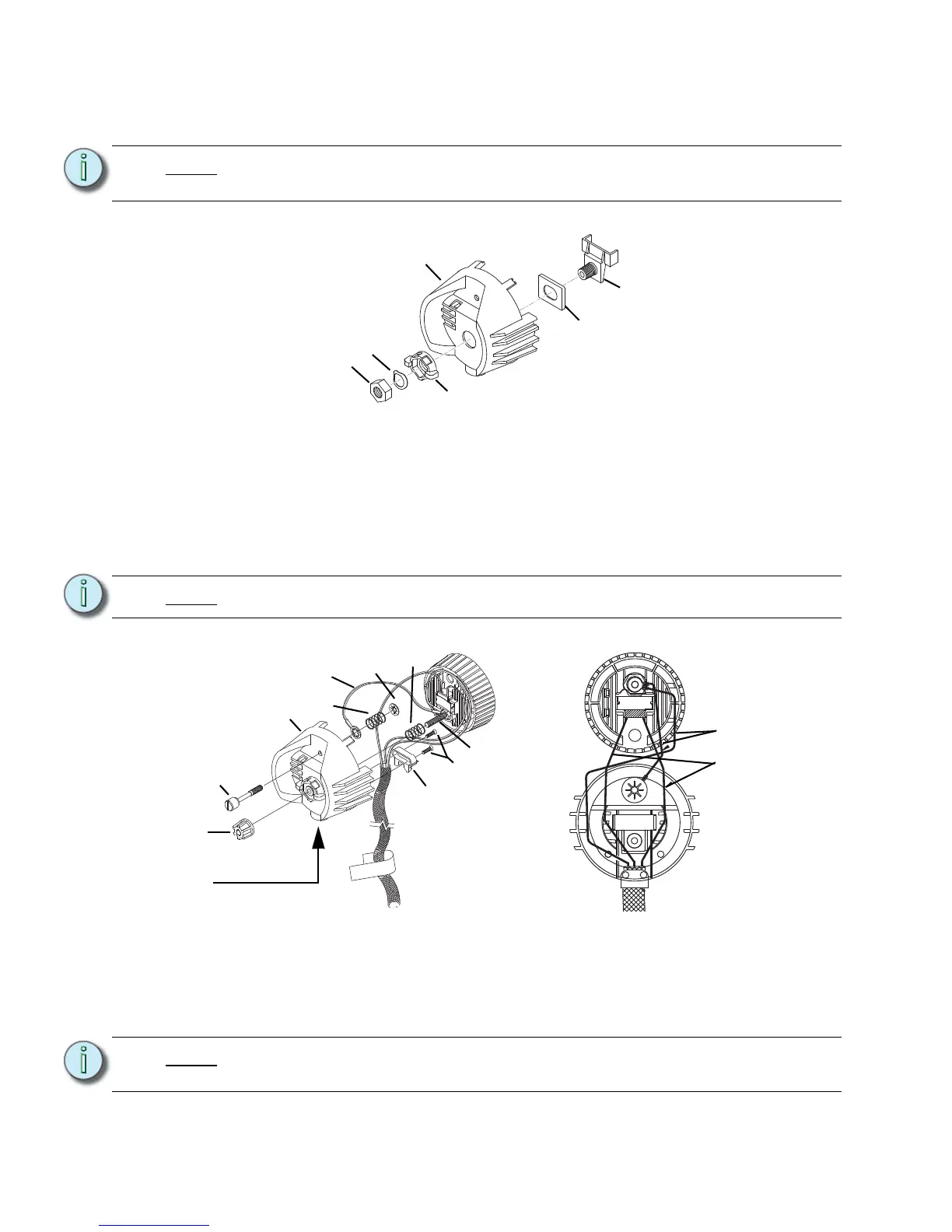
Step 6: Install the lamp retainer spring (5). The lamp retainer spring secures the socket.
Insert the spring one end at a time, making sure the rectangular slot in each side
of the spring seats on the corresponding tab in the casting. See Figure 4.
Step 7: Install the bushing cup (12) into the housing socket casting (7) as shown in
Figure 5. The cup should slide smoothly up and down, but not side to side.
Step 8: Insert the threaded end of the index hub (4) through the holes in the bushing cup
and the back of the housing socket casting (7).
Step 9: Slide the X-Y knob (10) over the exposed index hub bolt (4), then insert the wave
washer (27) on the bolt and secure with the 9/16 hex nut (24). Hand tighten the
X-Y knob (10).
Step 10: Insert the knurled head screw (6) through the housing socket (7) casting as
shown in Figure 6.
Step 11: Install the shorter green ground wire (18) onto the screw. The prongs on the
crimped connector should be toward the casting.
Step 12: Install the ground spring (29) onto the screw and secure it with the Southco flat
retaining ring (26). Install the Southco ring with its prongs away from the casting.
Note:
If the spring does not seat correctly, coax it into place with a screwdriver or needle-
nose pliers.
Note:
Install the wave washer with the upward curve toward the hex nut.
Note:
Use pliers to straighten the Southco retaining ring (26) if it bends when you install
it on the bolt.


 To Next Page