U2836 Operation Manual Chapter 4 System and FILE
34
4.1.12 FIRMWARE UPDATE
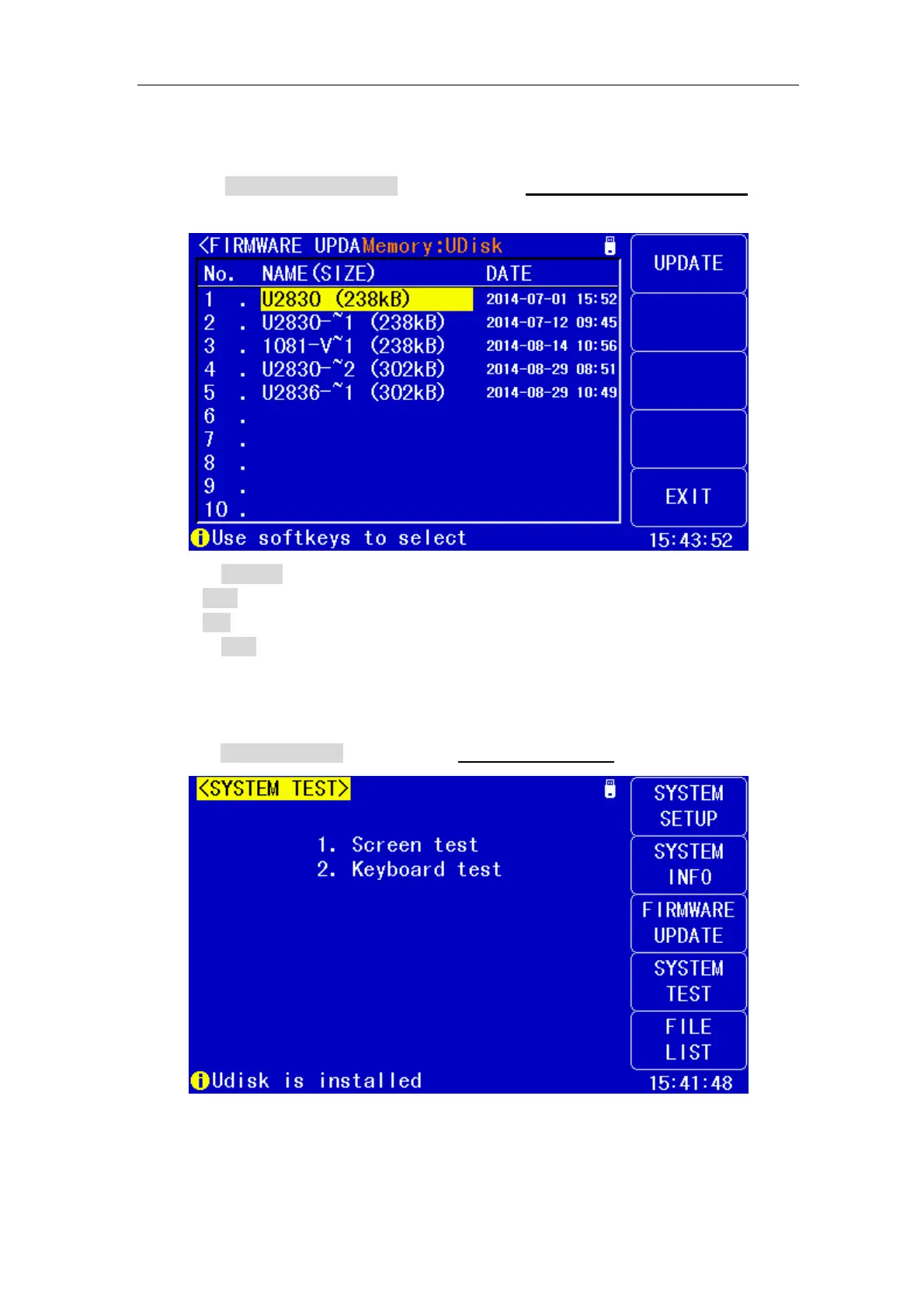
1) Press FIRMWARE UPDTE enter into the <FIRMWARE UPDATE> page
shown as below.
2) Press UPDTE, the following soft keys will be displayed.
YES
NO
3) Press YES soft key to update the firmware of the instrument.
4.1.13 SYSTEM TEST
Press SYSTEM TEST enter into the <SYSTEM TEST> page shown as below.


 To Next Page