EasyManua.ls Logo

EUCOL U2836 - User Manual

EUCOL U2836
58 pages
Print Icon
To Next Page IconTo Next Page
Loading...
I
O
O
P
P
E
E
R
R
A
A
T
T
I
I
O
O
N
N
M
M
A
A
N
N
U
U
A
A
L
L
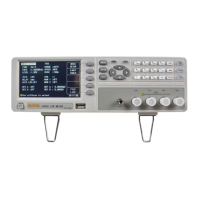
U2836 Precision LCR meter
C
C
C
h
h
h
a
a
a
n
n
n
g
g
g
z
z
z
h
h
h
o
o
o
u
u
u
E
E
E
u
u
u
c
c
c
o
o
o
l
l
l
E
E
E
l
l
l
e
e
e
c
c
c
t
t
t
r
r
r
o
o
o
n
n
n
i
i
i
c
c
c
C
C
C
o
o
o
.
.
.
,
,
,
L
L
L
t
t
t
d
d
d
.
.
.
A
A
A
d
d
d
d
d
d
:
:
:
No.1, Ziyang Road, Tianning District, Changzhou, Jiangsu
T
T
T
e
e
e
l
l
l
:
:
:
0
0
0
5
5
5
1
1
1
9
9
9
8
8
8
5
5
5
5
5
5
0
0
0
5
5
5
1
1
1
9
9
9
9
9
9
F
F
F
a
a
a
x
x
x
:
:
:
0
0
0
5
5
5
1
1
1
9
9
9
8
8
8
5
5
5
5
5
5
0
0
0
5
5
5
1
1
1
6
6
6
9
9
9
E
E
E
-
-
-
m
m
m
a
a
a
i
i
i
l
l
l
:
:
:
S
S
S
a
a
a
l
l
l
e
e
e
s
s
s
@
@
@
e
e
e
u
u
u
c
c
c
o
o
o
l
l
l
.
.
.
c
c
c
o
o
o
m
m
m
.
.
.
c
c
c
n
n
n
W
W
W
e
e
e
b
b
b
s
s
s
i
i
i
t
t
t
e
e
e
:
:
:
h
h
h
t
t
t
t
t
t
p
p
p
:
:
:
/
/
/
/
/
/
w
w
w
w
w
w
w
w
w
.
.
.
e
e
e
u
u
u
c
c
c
o
o
o
l
l
l
.
.
.
c
c
c
o
o
o
m
m
m
.
.
.
c
c
c
n
n
n

Table of Contents

Question and Answer IconNeed help?

Do you have a question about the EUCOL U2836 and is the answer not in the manual?

Summary

Chapter 1: Out of Box Audit

Package Inspection and Initial Setup

Inspect shipping container, verify contents, and understand power connection and fuse requirements.

Environment, Fixture, and Warm-up

Operating environment, test fixture usage, and warm-up procedures for accurate LCR measurements.

Instrument Features and Specifications

Details on the instrument's power consumption, dimensions, and weight.

Chapter 2: Introduction to the U2836 LCR Meter

Front Panel Overview and Controls

Overview of the U2836's front panel layout, buttons, and display zones.

Rear Panel Connections and Startup

Explanation of rear panel connections and instrument startup procedures.

Basic Operation and Key Features

Guidance on navigating menus, basic operations, and starting the instrument.

Chapter 3: Measurement Display and Setup

[MEAS DISP] Page Overview

Details on the <MEAS DISPLAY> page, parameters, and display zones.

Test Function and Range Configuration

Setting test functions, ranges, and frequencies for LCR measurements.

Test Level, Speed, and Output Impedance

Configuration for test signal level, speed, and output impedance settings.

Tools, Binning, and Comparator Functions

Using instrument tools, bin display, comparator functionality, and bin counting.

Chapter 3: Measurement Setup and Correction

[MEAS SETUP] Parameters

Setting trigger mode, average times, monitor functions, and deviation tests.

Deviation Test and Correction Procedures

Configuring deviation modes and performing open/short corrections for accuracy.

[LIMIT TABLE] Configuration

Setting bin limits, nominal values, comparator modes, and auxiliary bins.

Chapter 4: System and File Management

System Configuration Options

Setting display skin, language, alarms, passwords, and communication modes.

Firmware Update and System Tests

Procedures for updating instrument firmware and running system diagnostic tests.

File Management and U-Disk Operations

Saving, loading, and managing instrument settings via files and U-disk.

Chapter 5: LCR Operation and Examples

DUT Connection and Impedance Mitigation

Proper DUT connection methods and techniques to minimize stray impedance effects.

Inductance Measurement Example

Step-by-step guide for performing an inductance measurement using the U2836.

Chapter 6: Performance and Test Procedures

Test Functions and Signal Characteristics

Details on test functions, signal frequency, level, and impedance.

Measurement Accuracy and Specifications

Accuracy specifications for various LCR parameters (Z, Y, L, C, R, X, G, B, D, Q, θ).

Safety, Compatibility, and Performance Testing

Safety requirements, electromagnetic compatibility, and performance test procedures.

EUCOL U2836 Specifications

General IconGeneral
BrandEUCOL
ModelU2836
CategoryMeasuring Instruments
LanguageEnglish