U2836 Operation Manual Chapter 5 Execute LCR operation and some examples
41
5.3 Operation example for testing inductance with
U2836
Test Condition
Function: Ls-Q
Frequency: 5.0kHz
Level: 1.5Vrms
Internal impedance: 100Ω
Operation steps
1) Turn on the instrument.
2) Set basic parameters
a) Press [MEAS] to enter into the <MEAS DISPLAY> page.
b) Move the cursor to FUNC zone, the current item is displayed as Cp-D.
c) Press the soft key MORE 1/3, Ls-Q, Ls-Rs,Lp-Q, Lp-Rp and MORE 2/3 will
be displayed.
d) Press Ls-Q to select the Ls-Q function.
e) Move the cursor to FREQ, the current frequency is 1.0000kHz.
f) Press [5][.][0], +5.0 will be displayed in the prompt information zone at
the bottom of the screen. The available units Hz, kHz and MHz will be
displayed in the soft key zone. Press kHz, the frequency will be changed
as 5.000kHz.
g) Move the cursor to LEVEL zone, the current displayed level will be
1.000V.
h) Press [1][.][5], +1.5 will be displayed in the prompt information zone at
the bottom of the screen. The available units mV, V, μA, mA and A will be
displayed in the soft key zone. Press [ENTER], the level will be changed as
1.5V.
i) Move the cursor to RSOU zone, 30Ω, 50Ω and 100Ω will be displayed in
the soft key zone.
j) Press 100Ω to select 100Ω as the signal internal impedance.
3) Connect the test fixture (U26005) to the test terminals of U2836.
4) Execute correction (To avoid the influence of stray impedance on
measurement accuracy, Open/ Short correction must be operated).
5) Mount the tested inductance to the test fixture.
6) Execute test operation.
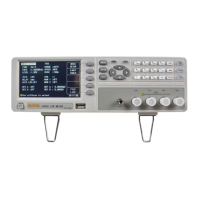
Press [MEAS] to enter into the <MEAS DISPLAY> page. The instrument can test
continuously and the test result will be displayed in upper case character in the
center of the page, shown as below:


 To Next Page