EVER UPS SINLINE RT / RT XL series instruction manual
Pomoc Techniczna, tel.: +48 61 6500 400
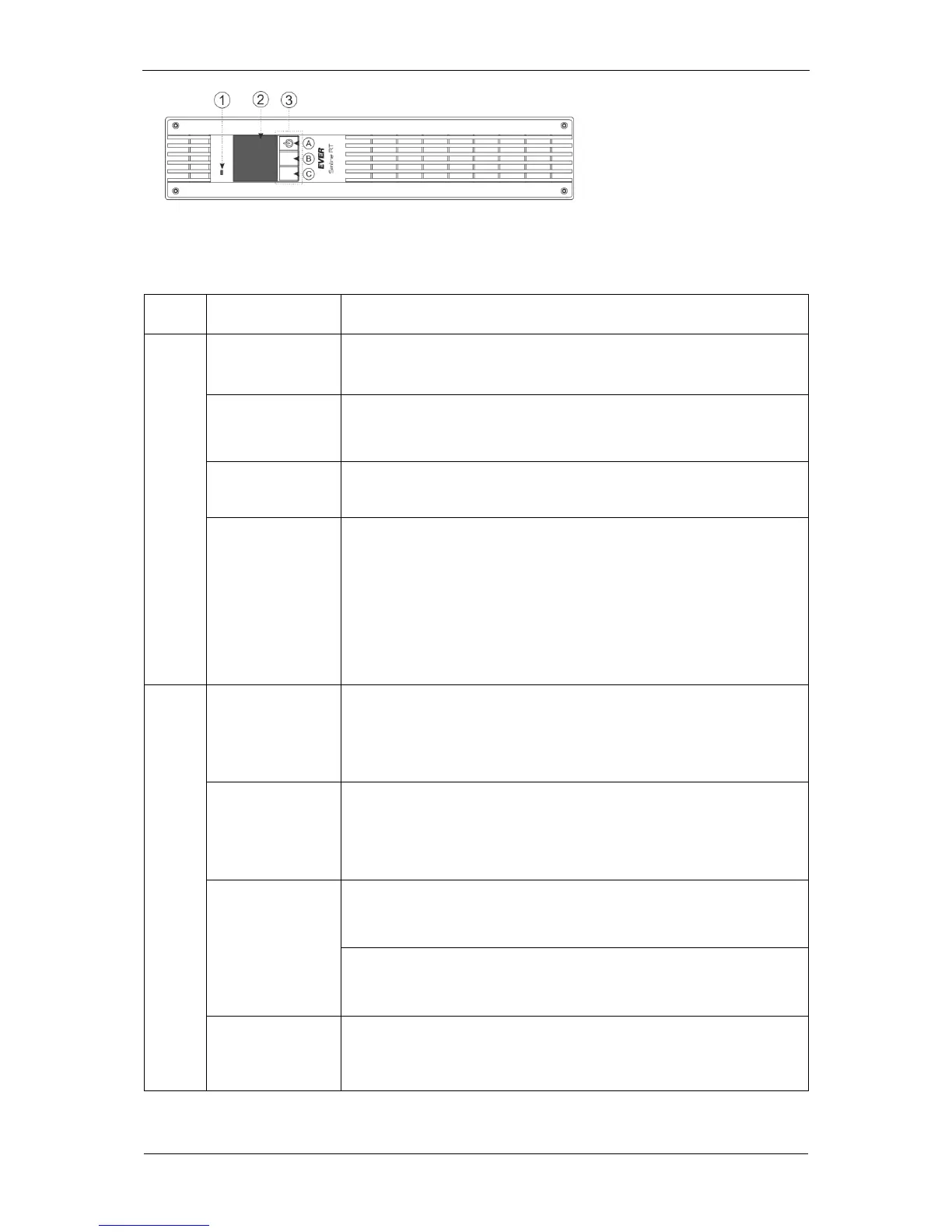
1. Signaling LED
2. LCD display
3. Multi-function buttons: A, B, C
Fig. 5. View of the front panel of SINLINE RT / SINLINE RT XL units
Table 1. Functions of the control panel buttons
Press and keep the button depressed for over 1 second to switch the unit on
(power supply is switched on).
When the UPS is on and the LCD display shows one of the information
screens (screensavers), press and keep the button depressed for over 1
second to switch the unit off (power supply is switched off).
When an information screen is displayed, press the button shortly to enter
the main menu.
Confirming /
canceling the
current setting
When in MENU screen, press the button briefly to select or change the
highlighted option (depending on what option is selected, the button's action
is indicated by an icon shown on the LCD display, next to the button).
When the value edit mode is selected, press the button briefly to change the
active object (edited values or command keys). When in command selection
mode, keep the button depressed to execute the operation assigned to the
object.
Switching the unit
on logically
When the UPS is not on logically (not operating in back-up or normal mode),
and the LCD display shows one of the information screens, press and keep
the button depressed for over 1 second to switch the unit on logically (power
supply to receiver's connected to the UPS's output is switched on).
Switching the unit
off logically
When the UPS is on logically (operating in back-up or normal mode), and the
LCD display shows one of the information screens, press and keep the
button depressed for over 1 second to switch the unit off logically (power
supply to receiver's connected to the UPS's output is switched off).
Press the button shortly to scroll up between information screens.
Press the button shortly to navigate up the menu options.
Navigating to the
beginning of the
submenu
Press and keep the button depressed for over 1 second to navigate to the
beginning of the submenu.



 To Next Page