122
14.3 Remote Archive
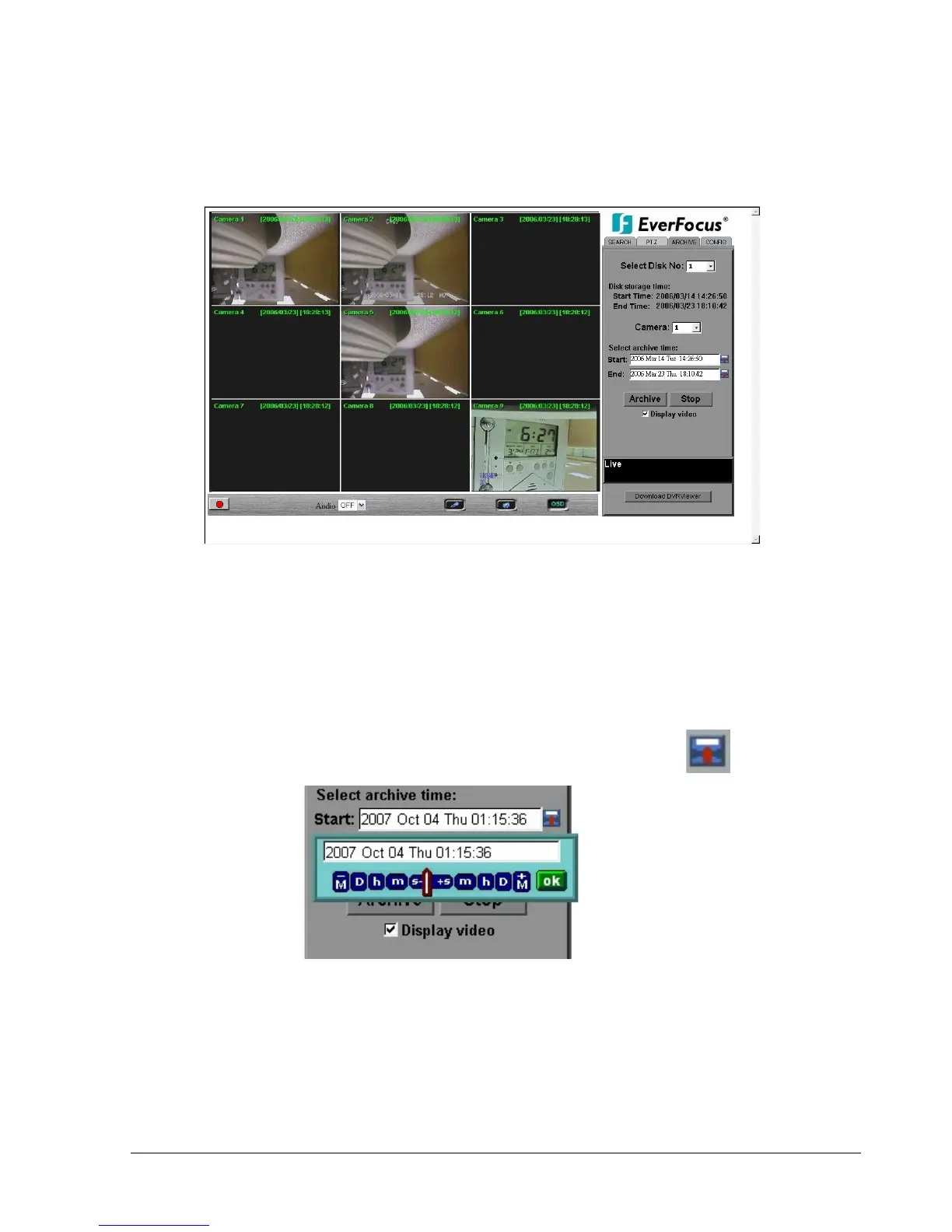
To Archive files:
1. Select Disk No.: The hard drive you want to archive from
2. Disk Storage Time: Start Time/End Time indicates the start and end time of the selected
disk
3. Camera: Select the camera that you wish to archive from.
4. Start: Select the start time of the archived video.
5. End: Select the end time of the archived video.
There are 3 ways to search Start or End time to be archived. First press .
1) Press on the M button to change the Month to be searched, D for day, h for hour, m for
minute and s for second. The buttons on the left side are to decrease the value, whereas
those on the right side are to increase the value.














 To Next Page